Trados 2019 : Update Failed - HTTP operation failed

HI,

When I tried to update 2019 Trados, I see the popup message: 
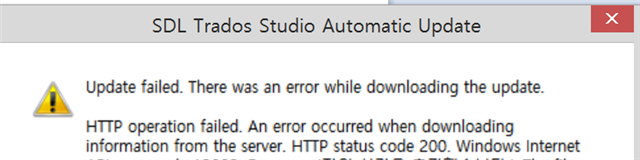
SDL Trados Studio Automatic Update dialog box showing an error message: Update failed. There was an error while downloading the update. HTTP operation failed. An error occurred when downloading information from the server. HTTP status code 200. Windows Internet Explorer 11 is required for the update.

IE is version 11, basic browser was changed to chrome and ff, but it doesn't work.

Can anyone help? Is it because the trados is a trial?


Generated Image Alt-Text
[edited by: Trados AI at 5:35 PM (GMT 0) on 28 Feb 2024]
emoji
Parents Reply Children
  • Hello ,

    From your recent replies, I am starting to understand that there are a couple of issues here, not least the granted access/admin/UAC rights on your machine.

    I'm aware that you are a MAC user and have Windows installed on a BootCamp partition, which in itself is not an issue.

    When you are installing software on a Windows platform, then through the UAC (User Account Control)...

    I don't wanna see pop-up's any more...

    ..pop ups are essential and cannot be avoided completely.

    Without pop ups - you simply will not be able to install software, as you must agree or decline the actions.

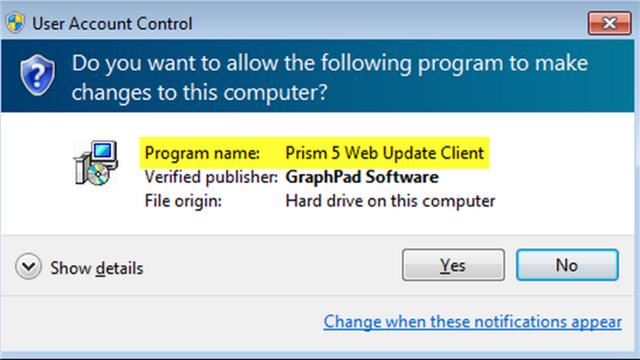
    The screen shot (Prism5) is not related to SDL Trados Studio in any way- but as this message pops up after reboot, then this would suggest that your security settings are set to maximum, which is going to continue to cause you problems and may even be an indicator that you have a number of programs that have not been installed correctly (including your browsers).

    The error 12002 is most likely originating from your firewall- which has possibly closed the port needed for the software/update upload.

    I would therefore ensure that your security settings are set to normal/allow pop ups and add Studio to your AntiVirus 'whitelist'


    Oana Nagy | Developer Experience | QA Engineer | RWS Group

  • Hi Steve,

    Thanks for your reply - the update was done with security disabled.

    Regrading UAC, the screenshot is FYR unless you understand all the languages :( - 

    with Program name: setup, Verified publisher: SDL PLC

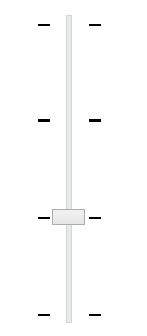
    First, the security setting is not high.

    Image of a slider control with a central knob and tick marks indicating adjustable settings.

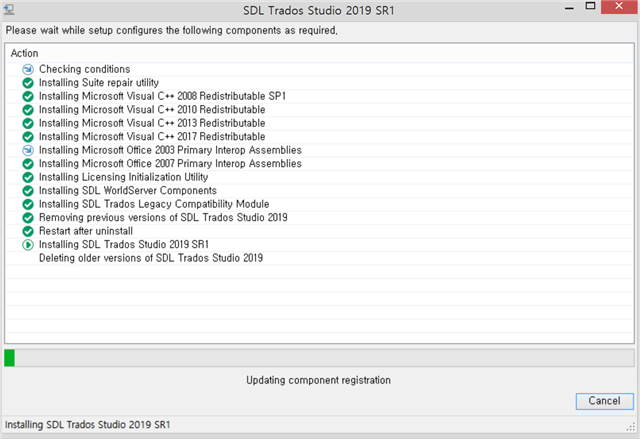
    And what I meant is whenever I click the OK in the UAC, it is INSTALLED everytime! See below.

    Screenshot of SDL Trados Studio 2019 SR1 installation process with a list of components being installed or updated.

    ..pop ups are essential and cannot be avoided completely.

    Should install everytime booted up? No way!

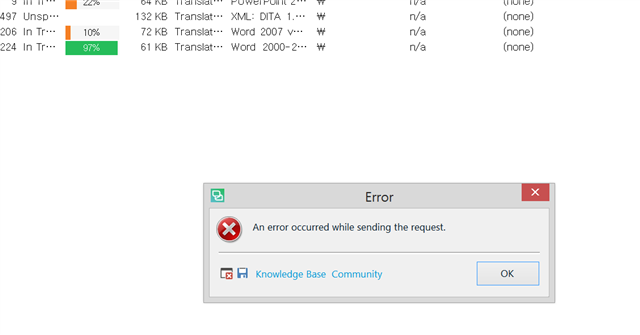
    Now with the update, when the trados is executed, this popup shows:

    Error message popup in SDL Trados Studio stating 'An error occurred while sending the request' with Knowledge Base and Community buttons.

    I am almost knocked down. 

    emoji


    Generated Image Alt-Text
    [edited by: Trados AI at 5:35 PM (GMT 0) on 28 Feb 2024]
  • Hello ,

    I have been in contact with our support team (Bill) who will be in contact shortly- to see how we can resolve this for you.

    This really is a mystery, and we are keen to find a resolution.


    Oana Nagy | Developer Experience | QA Engineer | RWS Group

  • Hi Steven,

    The UAC doesn't come up as it is disabled in the start menu; but I am not sure it is sustainable as the authentication certificate shows it is going to expire in 2 weeks. Somehow some execution may interrupt running in the time. Anyhow now it isn't reinstalled whenever booted up.
    The error message still comes up when I start the trados, but I decided not to mind as it is just one-time error pop-up.
    Thanks for your support, and a tech team!