 Translate



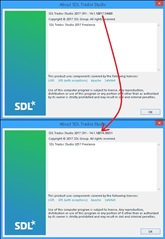
AND Multiterm to properly.
Thanks.
Generated Image Alt-Text
[edited by: Trados AI at 9:37 PM (GMT 0) on 28 Feb 2024]


AND Multiterm to properly.
Thanks.


It's also here:
https://gateway.rws.com/csm?id=kb_article_view&sysparm_article=KB0024972
And this is going to be helpful too:
https://gateway.rws.com/csm?id=kb_article_view&sysparm_article=KB0027380
Paul Filkin | RWS
Design your own training!
You've done the courses and still need to go a little further, or still not clear?
Tell us what you need in our Community Solutions Hub
I've seen one or both of those. I was referring more to the fact that the first thing that was spot on that I found was someone saying "I found the answer" but not giving any clear information on what that answer was for anyone else who might have the same problem.

SNAP! Great minds think alike heheh. Those are the exact links I shared...
Ali 
FYI:
1) Windows repair did not deal with the problem of not being able to save multiple documents when virtually merged with comments
2) I did uninstall and re-install both trados and multiterm. The instructions were OK, but I came across several other problems, making the process long and drawn out
a) I did remember to create a profile and save all my colour, keyboard shortcut and window layout settings etc.
b) I did NOT uninstall menumaker for Trados. I probably should have removed those shortcuts and uninstalled menumaker
On re-installing CU15 I can save my virtually merged files with comments just fine, no problems
Since I didn't uninstall menumaker Trados wouldn't open and I had to jump through all sorts of loops owing to two different errors:
Failed to add window command bar extensions
I got around this by unistalling Trados extensions under programs and features until something changed
Then I got this error
Failed to initialize simpleview.
and I followed the forum/KB instructions to delete shortcuts to the apps that I'd previously added to the Welcome menu in Trados using Menumaker, using explorer to delete them from the ..ProgramData... folder.
I haven't been able to re-add apps to that menu and get trados to start without an error. I didn't use it loads anyway and have found a different way to have the apps in an easy to reach place, which will solve these problems in the future.
Anyway I hope the additional details help someone else if they come across the same or a similar problem. The main thing is I have Trados working properly again in the first time in months!
Excellent, you are indeed very technically minded. Thank you for sharing those extra details for future reference, that's really helpful!
Have a lovely weekend,
Ali
PS: I'm not an SDL help employee, just a user who likes to help others. With your knowledge, you would be a great asset to the SDL Community in helping others learn about the software 