Translate



Hello,
I need to launch Studio 2019, but I get an error message.
I was asked to uninstall the old plugin used for Baccs, and to replace it by the following link :
https://appstore.sdl.com/language/app/sdl-trados-business-manager-lite/985/
I was told that the error message was most likely caused by not removing the old plugins correctly.
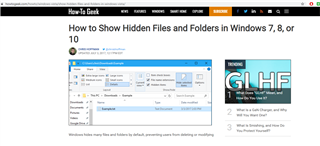
So I was asked to delete the folder as follows : c:\Users\[USERNAME]\AppData\Roaming\SDL\SDL Trados Studio\15\Plugins\
Then to run a repair installation through my Windows control panel and restart Studio.
My problem is that there may be translators who know, with a little help, how to solve IT issues, but this is not the case for everyone.
I only found the following link :
c:\Programmesx86\SDL\SDL Trados Studio\Studio15\PlugIns
There were a lot of files inside the folder PlugIns, so I did not know if it was the one I had to delete. Also, I was unsure if "run a repair installation" had to be done via System and maintenance or not.
I was also offered help via Skype but due to mutual availabilities, I did not receive any alternative suggestion.
So I am still struggling with my problem...
Can someone help me today ?
Thank you very much in advance.
M.Anne