 Translate



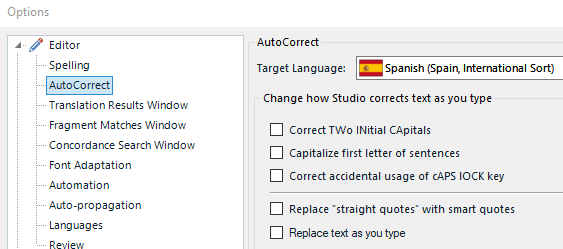
The option Correct TWo INitial CApitals seems to be active:

But my AutoCorrect Options are:
Any ideas?
Generated Image Alt-Text
[edited by: Trados AI at 8:24 PM (GMT 0) on 28 Feb 2024]


The option Correct TWo INitial CApitals seems to be active:
But my AutoCorrect Options are:
Any ideas?
Just wild guess based around something it took me a while to track down as I did this myself... have you got an AHK script running that does this?
Paul Filkin | RWS
Design your own training!
You've done the courses and still need to go a little further, or still not clear?
Tell us what you need in our Community Solutions Hub

Thanks Paul,
Yes, AutoHotKey was my very first guess. Even if this unwanted change only happened in the Studio's Editor, I closed all the scripts running in my PC (checked that with the Windows Task Manager) but the problem went on.
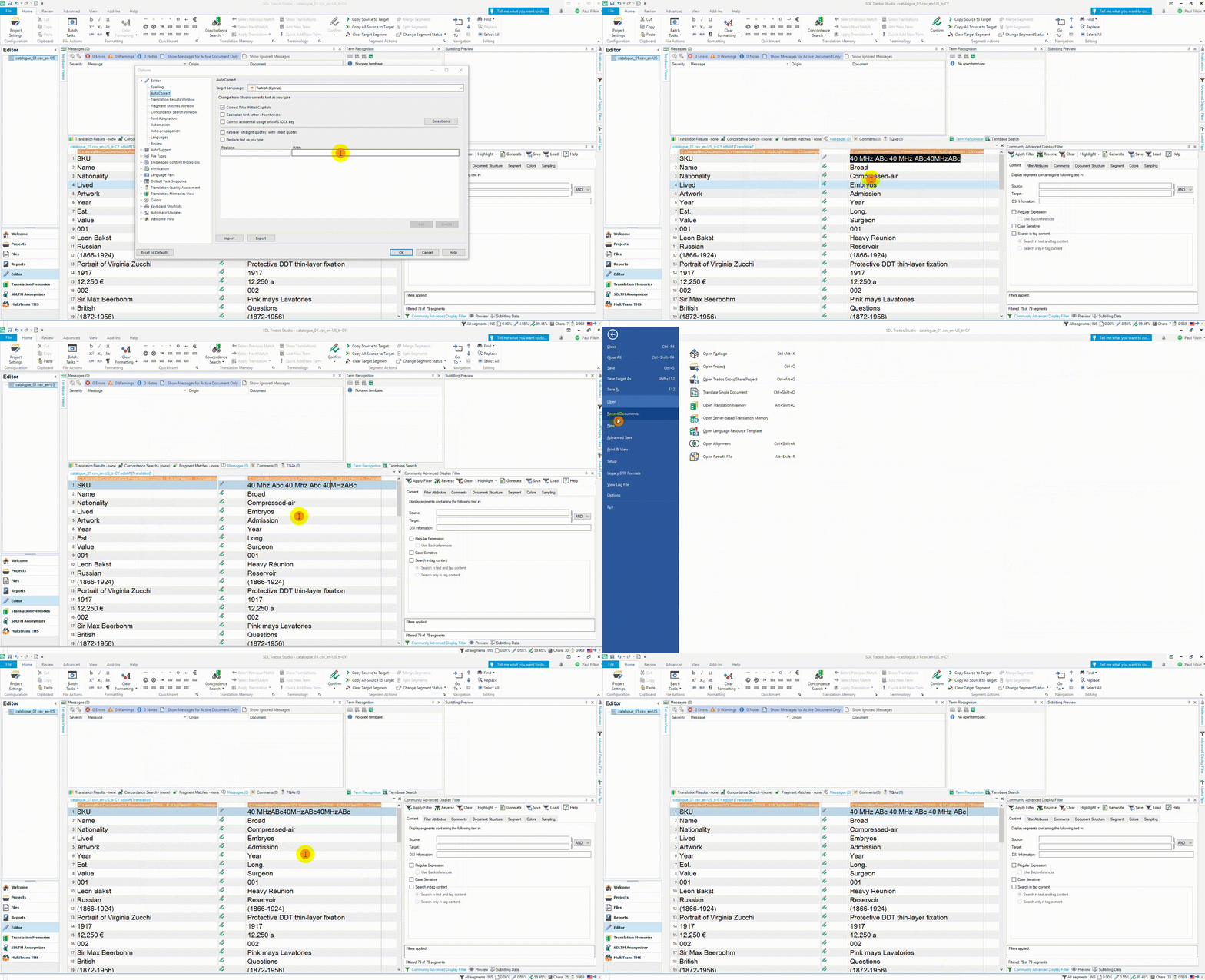
This test is the proof that AutoHotKey is not the culprit (just pasting some text and then inserting a space there and there):

BTW: I hadn't realized that the change to lower case doesn't always happen.
From your post, I guess you can't see my problem. Could you try please this paste-and-insert space test? I hope you can see it at least once? Also, I think slow typing increases the odds of happening.

Thanks Paul,
Yes, AutoHotKey was my very first guess. Even if this unwanted change only happened in the Studio's Editor, I closed all the scripts running in my PC (checked that with the Windows Task Manager) but the problem went on.
This test is the proof that AutoHotKey is not the culprit (just pasting some text and then inserting a space there and there):
BTW: I hadn't realized that the change to lower case doesn't always happen.
From your post, I guess you can't see my problem. Could you try please this paste-and-insert space test? I hope you can see it at least once? Also, I think slow typing increases the odds of happening.

Could you try please this paste-and-insert space test?
Sure... still can't reproduce it though :-(
Paul Filkin | RWS
Design your own training!
You've done the courses and still need to go a little further, or still not clear?
Tell us what you need in our Community Solutions Hub