
 Translate



Recently I have noticed the following odd behaviour of the appearance of the memory in the project settings. This change seems to have happened after the last Studio update to version 15.2.6.2831
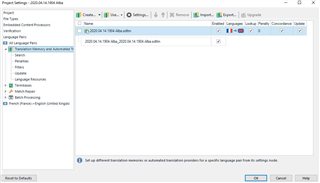
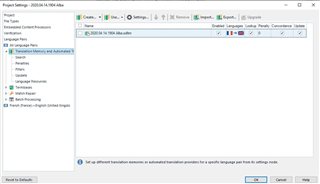
When adding a memory, it is shown with another memory underneath it, as in the image "before". In this configuration, WordBird, or at least its "copy non translatables" function, does not seem to work. However, if the memory is removed and then added again, it shows as in the image "after". Then WordBird does work.
Does anyone have any suggestions apart from systematically removing the memory and then adding it back in?
Generated Image Alt-Text
[edited by: Trados AI at 8:54 PM (GMT 0) on 28 Feb 2024]



