
 Translate



Guys ...
Sorry to always ask stupid questions but ...
I really would avout to click on "reset window layout" cause I really like the way how I did set already all my panels etc but still, I do not find a way either to save my own window layout wither to ADJUST the Termbase font size ...
The Termbase items are perfectly show actually, the thing I would like to make bigger is ... have a look to this screenshot, pls ...
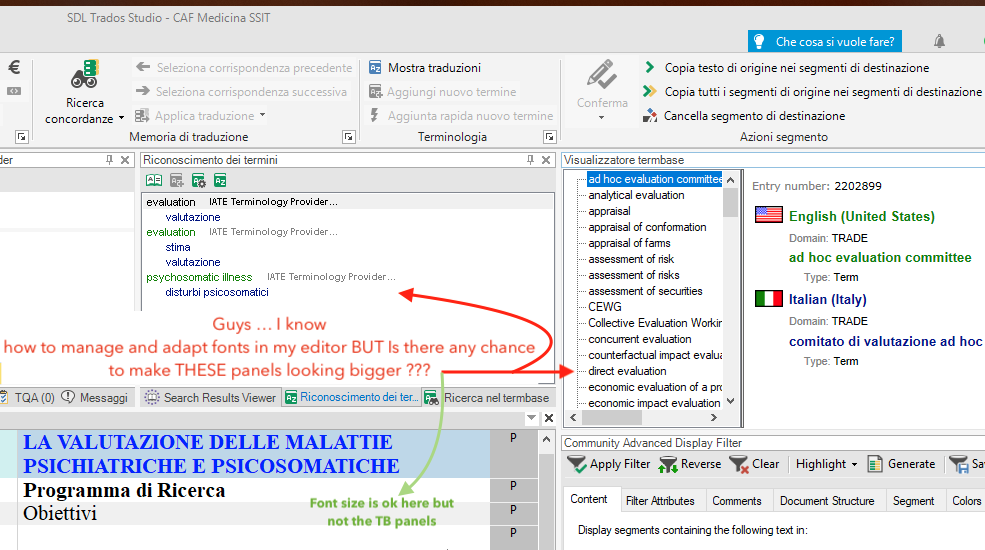
And this is not a matter of windows settings I suppose
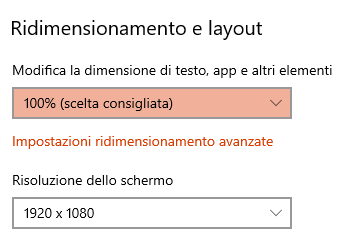
Any tip about this?
Thank You.
Pietro
Generated Image Alt-Text
[edited by: Trados AI at 8:58 PM (GMT 0) on 28 Feb 2024]


