Translate



Hello Guys !!!
Yes, I know ... SHAME ON MY for askign this BUT ... I have to. I think it is something easy but I want to check my workflow with You ...
(Of course, yes ... I have read the with the same topic in this forum, but still) ...
My question is related to Main TM and Project TM
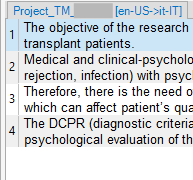
I have a very small and easy file with 13 segments ... They are all confirmed and I aspect them to to be (all of them) in my Project TM ...
My main idea is that, when the translation is ready, I will have a look to the Project TM, optimize its content and ONLY after that, import the Project TM into the Main TM ...
I think I have understand how they work BUT I still have a boubt about their priorities ... or, at least ... I am NOT getting the update of my Project TM ... WHY ?
Here are my settings:
As You can see, I want to use my MainTM (or what I think is my MainTM (the first one upside) only for reference AND
I want to use my ProjectTM to store my translation ... And I have set the update function for it too.
NOW ...
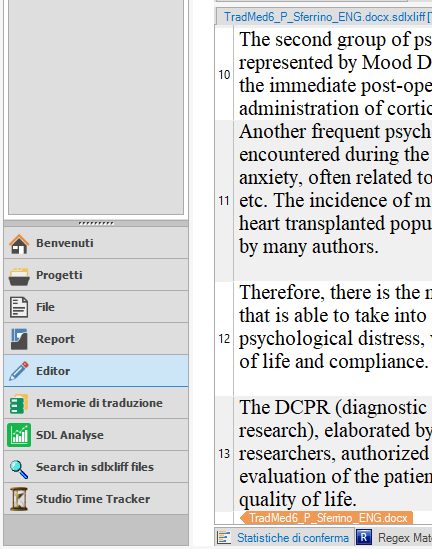
This is my file
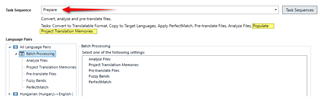
And ... this what I get EVEN AFTER BACTH Tasks --> "Update Project Memory" ... Where is my msitake here?
... 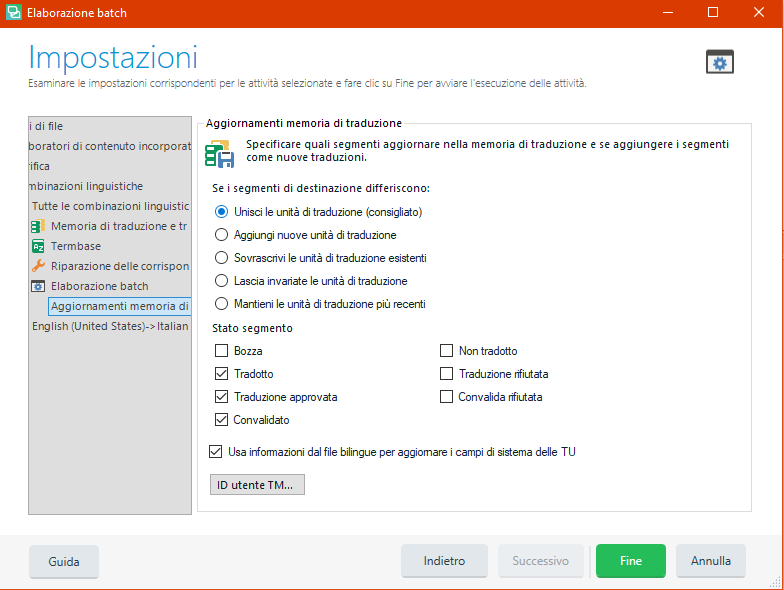
Of course I have tried "Add new sebments", "join segmentes" ... BUT, still need your help!
THANK YOU!
Pietro
Generated Image Alt-Text
[edited by: Trados AI at 9:01 PM (GMT 0) on 28 Feb 2024]