 Translate



Hi, I just purchased a Freelance edition of SDL Trados.
The "New Project" option is grayed out so I can't start one. Any idea what's the problem?
Thank you
Gilad

Hi, I just purchased a Freelance edition of SDL Trados.
The "New Project" option is grayed out so I can't start one. Any idea what's the problem?
Thank you
Gilad
I don't have any idea why this would happen and I can't reproduce it either. Perhaps try a reset and see if this solves your problem?
Rename this folder (just add _old to the end or something, it's not important what you rename it to) and restart Studio:
c:\Users\[USERNAME]\AppData\Roaming\SDL\SDL Trados Studio\15.0.0.0
So the path would become this:
c:\Users\[USERNAME]\AppData\Roaming\SDL\SDL Trados Studio\15.0.0.0_old
If you can't find this folder then you need to unhide your hidden files/folders:
Paul Filkin | RWS
Design your own training!
You've done the courses and still need to go a little further, or still not clear?
Tell us what you need in our Community Solutions Hub

Hi, thanks.
I did that - and SDL created a new 15.0.0.0 folder, but the problem persists.
I'm attaching a screenshot just in case.
I don't know if it matters but I downloaded the trial version and then purchased the Freelance license.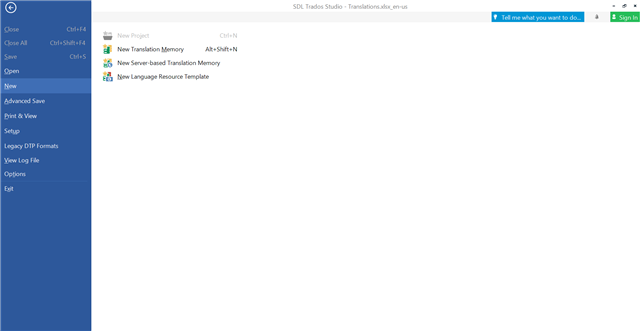


Could you please confirm that you actually bought the Freelance license?
Starter Edition won't let you create projects. Only Freelance licenses and above will do it.
Indeed, my mistake, I have the starter edition.
Mystery solved, thank you.
Indeed, my mistake, I have the starter edition.
Mystery solved, thank you.
