The Trados cloud platform will be undergoing maintenance on Saturday, 9th May 2026 between 05:00 to 17:00 UTC. During this time, you will not be able to log in to the Trados platform.

Auto substitution mismatch - general settings v. project settings how to resolve?

Hi,

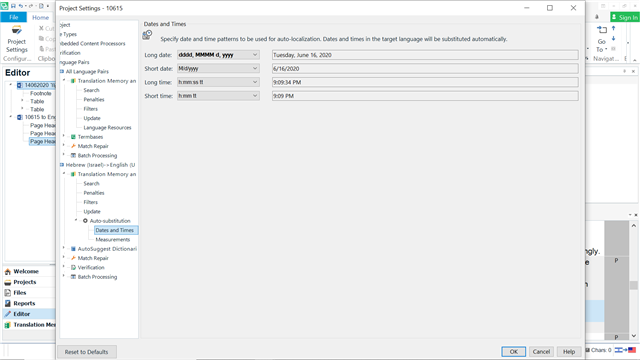
I set my general settings to a certain date substitution format, which is not the default format for Studio, but is what I want. Despite having done that, I still get the project settings back in default in disregard of the general settings. see screenshots. How do I make Studio retain and use my general settings in projects?

general:
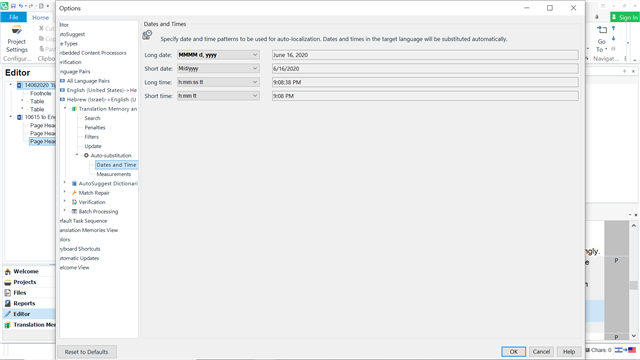
Screenshot of Trados Studio general settings showing date substitution format set to 'ddMMyy' for short date and 'hh:mm tt' for short time.

project:

Screenshot of Trados Studio project settings displaying default date format 'dd.MM.yyyy' for long date, overriding the user's general settings.


Generated Image Alt-Text
[edited by: Trados AI at 9:32 PM (GMT 0) on 28 Feb 2024]

emoji