


The Trados cloud platform will be undergoing maintenance on Saturday, 9th May 2026 between 05:00 to 17:00 UTC. During this time, you will not be able to log in to the Trados platform.

Sign In function on Studio 2019 is not working as screen shows error message "Navigation to the webpage was cancelled"

Hi, I was going to log in to Language Cloud but Sign In screen shows the error message below and can't go anywhere. Please help.
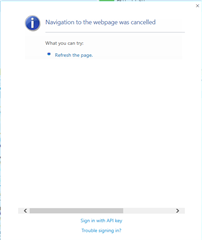
Error message on Trados Studio Language Cloud Sign In screen stating 'Navigation to the webpage was cancelled' with an option to 'Refresh the page.'


It may relate that it shows the pop-up screen when I start Studio???
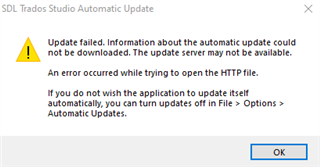
Warning dialog from SDL Trados Studio Automatic Update stating 'Update failed. Information about the automatic update could not be downloaded. The update server may not be available.' with an 'OK' button.


Generated Image Alt-Text
[edited by: Trados AI at 9:40 PM (GMT 0) on 28 Feb 2024]
emoji