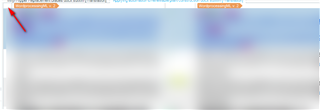
Hi, I locked all my segments by mistake and I don't know how to unlock them back, I do know how to us Ctrl+L but that takes a lot of time, I need to unlock all the segments at once Thanks!.
You can select all the segments at once by clicking on the blank square at the top of your document just above the first segment and then use Ctrl+L to unlock them.

Nora Diaz
I tried to do as you told me but nothing happened.
Thanks.
Clicking at the top left is a Studio 2019 feature... maybe even SR2 I can't recall. If you have an older version you need to select the segments by clicking on the number 1 on the left for the first segment. Then scroll down to the bottom of your file, hold the shift key down and select the last numbered segment by clicking on the last number (still holding the shift key). That should select them all and now you can unlock them.
Paul Filkin | RWS Group
________________________
Design your own training!
You've done the courses and still need to go a little further, or still not clear?
Tell us what you need in our Community Solutions Hub