The Trados cloud platform will be undergoing maintenance on Saturday, 9th May 2026 between 05:00 to 17:00 UTC. During this time, you will not be able to log in to the Trados platform.

Edit View using paired monitors (the "marital bed" problem!)

Post lockdown, where I am back in the office after several months of using a single UltraWQHD (3440 x 1440 Pixel) monitor, I am back to using paired 1920 x 1280 pixel monitors. I am currently finding it very hard to get used to the setup in terms of the view again (I got used to using the full width of the screen without annoying gaps in the middle (think of an Austrian style "Ehebett" - marital bed).

When I was using the UWQHD monitor, I loved having concordance on the left, the parallel segments in the middle and the terminology on the right hand side. This is out of the question with paired monitors, as the gap between the screens means side-by-side German and English don't feel adjacent due to the gap (even if you do check that your monitors are meticulously lined up to the millimetre).

What layouts work best for you, if you are using paired monitors?

Parents
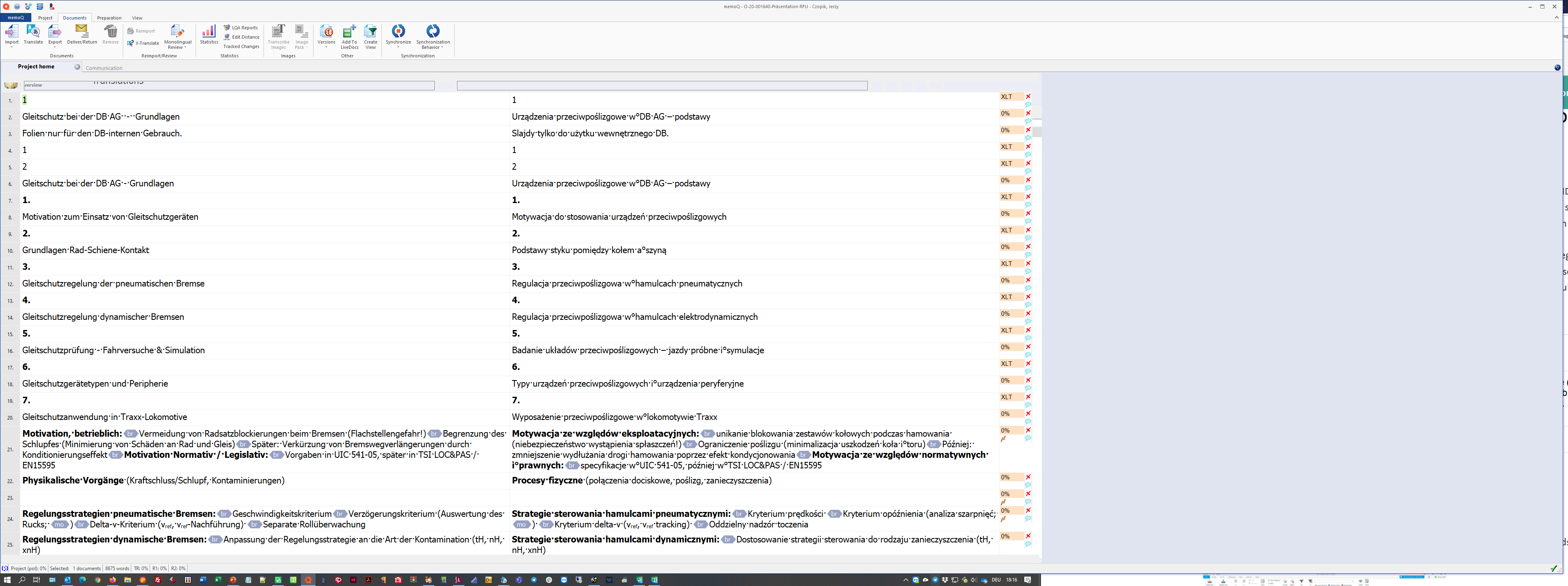
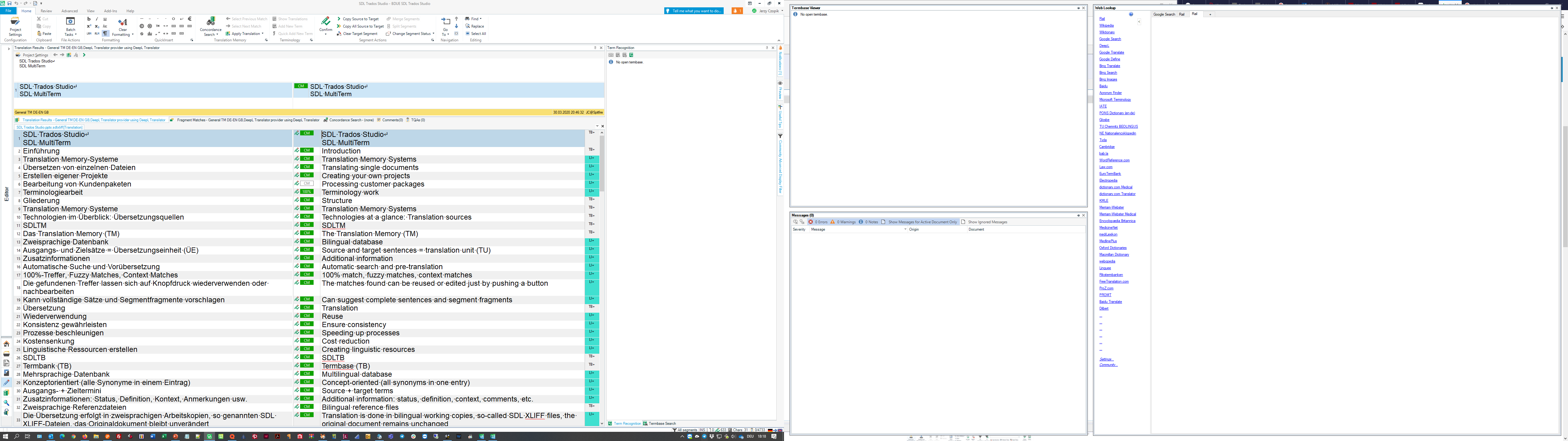
  • I use two 27" QHD (2560 × 1440) screen. While memoQ is split on two with a divider in the middle (see screenshot), Studio hast the main screen on the left monitor and messages, termbase viewer and (in S2019, not yet available in S2021) web lookup on the screen to the right. My screens are not centered, the left one is directly in front of me, the right one moved to the right (see sceenshot).

    memoQ

    Screenshot of memoQ translation software with text segments in two columns, showing source and target languages. Red XLT error icons indicate translation issues.

    Studio:

    Screenshot of Trados Studio interface with two panels. Left panel displays a list of translation resources, right panel shows termbase viewer and web lookup on a secondary monitor.

    _________________________________________________________

    When asking for help here, please be as accurate as possible. Please always remember to give the exact version of product used and all possible error messages received. The better you describe your problem, the better help you will get.

    Want to learn more about Trados Studio? Visit the Community Hub. Have a good idea to make Trados Studio better? Publish it here.

    emoji


    Generated Image Alt-Text
    [edited by: Trados AI at 10:07 PM (GMT 0) on 28 Feb 2024]
Reply
  • I use two 27" QHD (2560 × 1440) screen. While memoQ is split on two with a divider in the middle (see screenshot), Studio hast the main screen on the left monitor and messages, termbase viewer and (in S2019, not yet available in S2021) web lookup on the screen to the right. My screens are not centered, the left one is directly in front of me, the right one moved to the right (see sceenshot).

    memoQ

    Screenshot of memoQ translation software with text segments in two columns, showing source and target languages. Red XLT error icons indicate translation issues.

    Studio:

    Screenshot of Trados Studio interface with two panels. Left panel displays a list of translation resources, right panel shows termbase viewer and web lookup on a secondary monitor.

    _________________________________________________________

    When asking for help here, please be as accurate as possible. Please always remember to give the exact version of product used and all possible error messages received. The better you describe your problem, the better help you will get.

    Want to learn more about Trados Studio? Visit the Community Hub. Have a good idea to make Trados Studio better? Publish it here.

    emoji


    Generated Image Alt-Text
    [edited by: Trados AI at 10:07 PM (GMT 0) on 28 Feb 2024]
Children
No Data