The Trados cloud platform will be undergoing maintenance on Saturday, 9th May 2026 between 05:00 to 17:00 UTC. During this time, you will not be able to log in to the Trados platform.

Target texts in Preview Panel don't fit to width

Hi

How can I enable target texts in Preview Panel to fit to the width? There is too big margin left on the left/right side, as shown in the following screenshot.
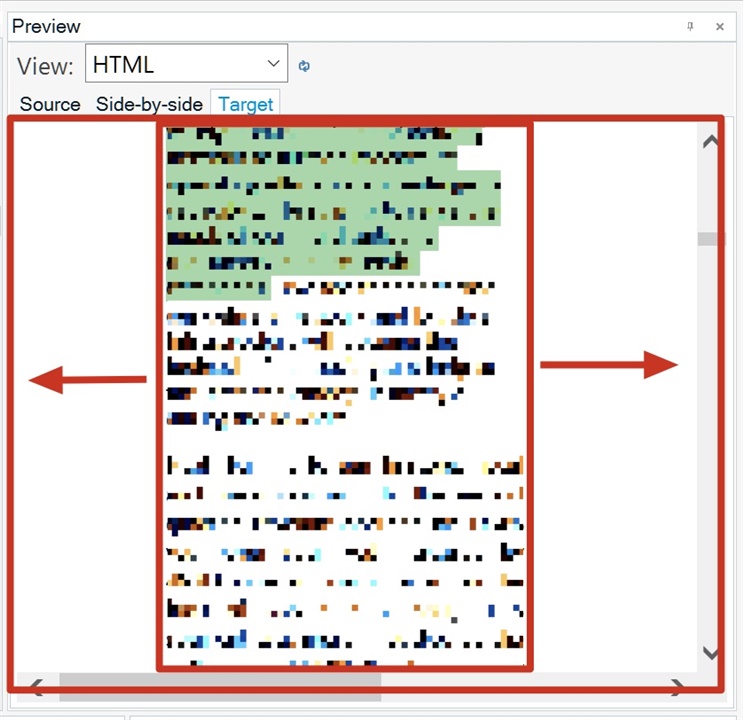
Screenshot of Trados Studio's Preview Panel with HTML view selected, showing large margins on the left and right side of the target text. Red arrows point to the excessive margins.

thanks

Christen


Generated Image Alt-Text
[edited by: Trados AI at 10:25 PM (GMT 0) on 28 Feb 2024]
emoji