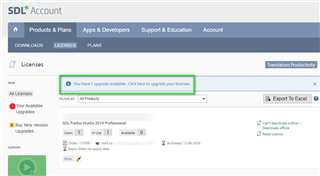
Deactivation failure

Hallo, I'm, trying yo deactivate the Trados 2019 version (in order to activate the 2021 one). The procedure fails and the following error message appears: Error 143. Failure in accessing the license or persisting store.
Could you help me to solve the problem please?

Thank you ,

Serena

Parents Reply
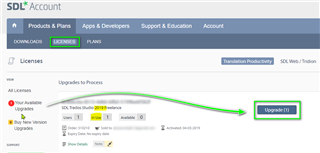
  • Hallo Steven, thanks for your kind reply. Indeed, I have clicked that banner and it was ok. After that, a blue banner appeared on the left (Upgrade1) and when I click this banner the folloqing message appears: 

    In order to process this upgrade, please return any in use activations.

    So, it doesn't work... 

    Screenshot of Trados Studio showing a 'Process Upgrade' pop-up with a message instructing to return any in-use activations before proceeding.

    My initial problem is that a have troubles when I try to deactivate the 2019 version, as I get the following error message: 

    Error 143 Failure in accessing the license or persistaence in store.

    Do you have an idea of how I could solve this problem?

    Thank you so much, 

    Serena

    emoji


    Generated Image Alt-Text
    [edited by: Trados AI at 10:55 PM (GMT 0) on 28 Feb 2024]
Children
No Data