 Translate



Sometimes when I merge segments with tags, I have an error when doing Save Target As.
What can I do?

Sometimes when I merge segments with tags, I have an error when doing Save Target As.
What can I do?
When you are faced with an error, Its always useful to provide as much information as possible as the generic error doesn't help us very much.
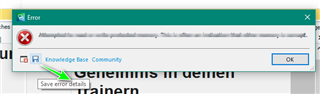
You can save the error stack to your desktop - simply click on the blue diskette icon -
(by clicking on Knowledge Base, this will link you to the SDL Gateway where you may also be able to find a solution)
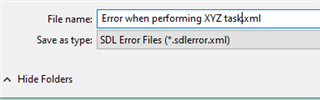
...and save to your desktop- e.g.
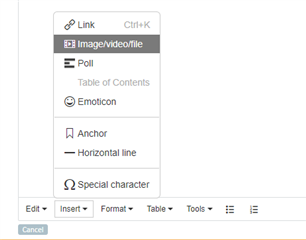
You can then add the XML stack trace to the thread using the Insert option below
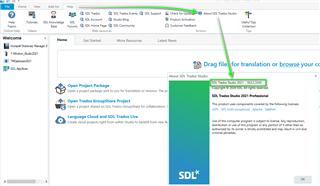
Please also let us know the exact version of Studio you are using (you can see this by going to Help- About SDL Trados Studio)
Its also useful to know exactly, what file types you are working with (Word/Excel/PDF etc).
Oana Nagy | QA Engineer | RWS Group

When you are faced with an error, Its always useful to provide as much information as possible as the generic error doesn't help us very much.
You can save the error stack to your desktop - simply click on the blue diskette icon -
(by clicking on Knowledge Base, this will link you to the SDL Gateway where you may also be able to find a solution)
...and save to your desktop- e.g.
You can then add the XML stack trace to the thread using the Insert option below
Please also let us know the exact version of Studio you are using (you can see this by going to Help- About SDL Trados Studio)
Its also useful to know exactly, what file types you are working with (Word/Excel/PDF etc).
Oana Nagy | QA Engineer | RWS Group
