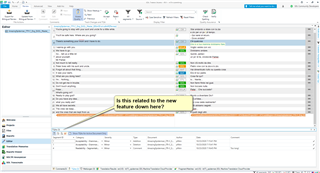
TQA nicht einsetzbar

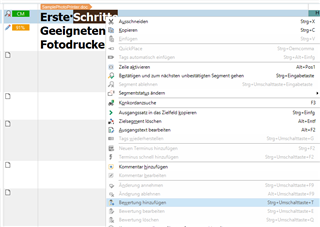
In der Trados Professional 2021  Version ist zwar die Option TQA (Übersetzungsbewertung) integriert, wird mir auf der Menüleiste nicht angezeigt. Nach meiner Anpassung, werden weiterhiin die Schaltflächen für Bewertung hinzufügen, bearbeiten, löschen nicht angezeigt. Trotz Aktivierung, kann ich die Befehle weder sehen noch betätigen.

Was ist zu tun? Bug? Frage an den Support: Aus welchem Grund kann ich das nicht nutzen?
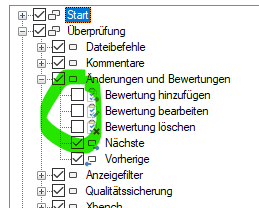
Trados Studio menu with TQA options 'Bewertung hinzufuegen', 'Bewertung bearbeiten', and 'Bewertung loeschen' greyed out and unclickable.


Generated Image Alt-Text
[edited by: Trados AI at 11:52 PM (GMT 0) on 28 Feb 2024]
emoji
Parents Reply
  • They probably worked before because TQA worked differently before.  That's what I wanted to explain to you.  Forget about the buttons for a minute and try working with it to see the differences.  Now you can apply global changes to the results and don't have to do things one error at a time.  In making this change the functions you used previously might have become redundant, in which case the "sloppiness" may be that the development team forgot to remove them from this customisation menu, as opposed to them being there and simply not working.

     may have a better idea here as he definitely knows more about TQA than me and he was involved in the changes for 2021.

    Paul Filkin | RWS

    Design your own training!
    You've done the courses and still need to go a little further, or still not clear? 
    Tell us what you need in our Community Solutions Hub

Children