


Upgrading a TM included in a package

I receive packages with TMs which require an upgrade (as shown by the triangle near the TM name).

The upgrade button is disabled
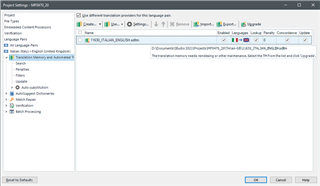
Trados Studio screenshot showing a Translation Memory (TM) with a warning triangle indicating it requires an upgrade. The upgrade button is grayed out and disabled.

If I select the TM the button remains disabled
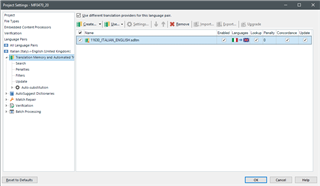
Trados Studio screenshot with the TM selected, but the upgrade button remains disabled and unclickable.

If I deselect the TM the button finally is enabled.
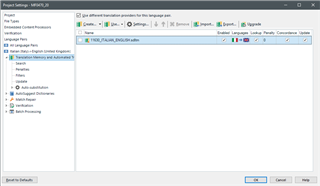
Trados Studio screenshot with the TM deselected, which enables the previously disabled upgrade button.

I find this behaviour quite strange.


Generated Image Alt-Text
[edited by: Trados AI at 11:30 PM (GMT 0) on 28 Feb 2024]

emoji
Parents
  • I find this behaviour quite strange.

    Me too and I still can't get used to it.  The check boxes on the left were added to make it easier to remove multiple TMs and they always look like boxes you'd check to select for the actions in the menu above.  But this menu is only active when you simply select the TM without checking that box.

    So the effect you see is due to this:

    1. the TM is not selected
    2. you select it with the checkbox and this deactivates the menu because Studio now thinks you want to remove the TM
    3. you uncheck the checkbox
    4. these actions also select the TM as if you'd just clicked on it, so once you deselect the menu becomes active

    Strange indeed... I think the behaviour should probably be this:

    1. the TM is not selected
    2. you select it with the checkbox and this also activates the menu as long as you only select one TM
    3. you then either use the menu or remove the one that's checked
    4. if you selected multiple TMs you could now remove them all

    Paul Filkin | RWS

    Design your own training!
    You've done the courses and still need to go a little further, or still not clear? 
    Tell us what you need in our Community Solutions Hub

Reply
  • I find this behaviour quite strange.

    Me too and I still can't get used to it.  The check boxes on the left were added to make it easier to remove multiple TMs and they always look like boxes you'd check to select for the actions in the menu above.  But this menu is only active when you simply select the TM without checking that box.

    So the effect you see is due to this:

    1. the TM is not selected
    2. you select it with the checkbox and this deactivates the menu because Studio now thinks you want to remove the TM
    3. you uncheck the checkbox
    4. these actions also select the TM as if you'd just clicked on it, so once you deselect the menu becomes active

    Strange indeed... I think the behaviour should probably be this:

    1. the TM is not selected
    2. you select it with the checkbox and this also activates the menu as long as you only select one TM
    3. you then either use the menu or remove the one that's checked
    4. if you selected multiple TMs you could now remove them all

    Paul Filkin | RWS

    Design your own training!
    You've done the courses and still need to go a little further, or still not clear? 
    Tell us what you need in our Community Solutions Hub

Children
No Data