
 Translate



Hi
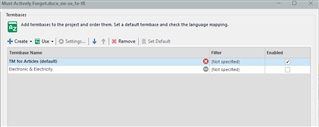
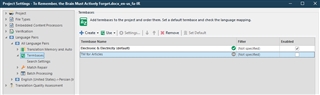
I have a few termbases, today I moved all to the same folder and then open a project and started the translation project. When I chose the "Project Settings" for the project of translation to set default a related TM, I couldn't make default the desired one and a red circle with a cross on it; shows for the one in the "Project Settings < Termbases window". When I select the other termbase that I don't work with it, it select as default!
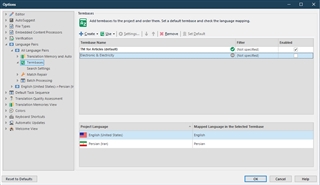
Also from " File < Options < Termases window " select my default termbase and it set it successfully, but when I back to " Project Settings < Termbase window " it still marked with the red circle and not selected! I had this problem before and fix it, but don't remember how I did, and again I face with it and don't know how to fix it.
Best,
Masoud
Generated Image Alt-Text
[edited by: Trados AI at 11:49 PM (GMT 0) on 28 Feb 2024]


