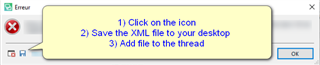
CleanUp Tasks "Sequence contains no matching element"

Hello!

While using CleanUp Tasks (1.9.8.2 version) in Studio 2019 (SR2 – 15.2.7.2849) an error appears "Sequence contains no matching elements" each time the batch task is performed.

This happens in .sdlxliff files even without any of the options selected, nor with any CleanUp rule applied.

The plugin works correctly in Studio 2017 (SR1).

Is there any workaround here to make it work?

Thanks in advance.

Parents Reply Children
  • Thank you for the prompt reply.

    Attached is the xml error stack.

    <SDLErrorDetails time="10.12.2020 11:58:07">
      <ErrorMessage>Sekwencja nie zawiera pasującego elementu.</ErrorMessage>
      <Exception>
        <Type>System.InvalidOperationException, mscorlib, Version=4.0.0.0, Culture=neutral, PublicKeyToken=b77a5c561934e089</Type>
        <HelpLink />
        <Source>System.Core</Source>
        <HResult>-2146233079</HResult>
        <StackTrace><![CDATA[   w System.Linq.Enumerable.First[TSource](IEnumerable`1 source, Func`2 predicate)
       w SDLCommunityCleanUpTasks.TargetCleanUpHandler.ConvertTagToText(IPlaceholderTag phTag)
       w SDLCommunityCleanUpTasks.TargetCleanUpHandler.ProcessPlaceholderTags()
       w SDLCommunityCleanUpTasks.TargetCleanUpHandler.VisitSegment(ISegment segment)
       w Sdl.FileTypeSupport.Framework.Bilingual.Segment.AcceptVisitor(IMarkupDataVisitor visitor)
       w SDLCommunityCleanUpTasks.SaveToTargetPreProcessor.ProcessParagraphUnit(IParagraphUnit paragraphUnit)
       w Sdl.FileTypeSupport.Framework.Core.Utilities.BilingualApi.BilingualContentHandlerAdapter.ProcessParagraphUnit(IParagraphUnit paragraphUnit)
       w Sdl.FileTypeSupport.Framework.Core.Utilities.BilingualApi.BilingualContentHandlerAdapter.ProcessParagraphUnit(IParagraphUnit paragraphUnit)
       w Sdl.FileTypeSupport.Framework.Integration.AbstractBilingualProcessorContainer.ProcessParagraphUnit(IParagraphUnit paragraphUnit)
       w Sdl.FileTypeSupport.Framework.BilingualApi.AbstractBilingualContentProcessor.ProcessParagraphUnit(IParagraphUnit paragraphUnit)
       w Sdl.FileTypeSupport.Framework.Integration.LocationMarkerLocator.ProcessParagraphUnit(IParagraphUnit paragraphUnit)
       w Sdl.FileTypeSupport.Framework.Integration.AbstractBilingualProcessorContainer.ProcessParagraphUnit(IParagraphUnit paragraphUnit)
       w Sdl.FileTypeSupport.Framework.Integration.FileExtractor.ProcessParagraphUnit(IParagraphUnit paragraphUnit)
       w Sdl.FileTypeSupport.Framework.Core.Utilities.BilingualApi.ParagraphUnitBuffer.ProcessParagraphUnit(IParagraphUnit pu)
       w Sdl.FileTypeSupport.Bilingual.SdlXliff.XliffFileReader.OutputParagraphUnit(IParagraphUnit pu)
       w Sdl.FileTypeSupport.Bilingual.SdlXliff.XliffFileReader.ParseLocalizableParagraphUnit(transunit transunit, LockTypeFlags lockFlags)
       w Sdl.FileTypeSupport.Bilingual.SdlXliff.XliffFileReader.ParseTransUnit(transunit transunit)
       w Sdl.FileTypeSupport.Bilingual.SdlXliff.XliffFileReader.ParseGroup(group group)
       w Sdl.FileTypeSupport.Bilingual.SdlXliff.XliffFileReader.OnGroup(XmlElement groupElement)
       w Sdl.FileTypeSupport.Bilingual.SdlXliff.SdlXliffFeeder.<ContinueScanning>b__14_15(ISdlXliffStreamContentHandler handler)
       w System.Collections.Generic.List`1.ForEach(Action`1 action)
       w Sdl.FileTypeSupport.Bilingual.SdlXliff.SdlXliffFeeder.ContinueScanning()
       w Sdl.FileTypeSupport.Bilingual.SdlXliff.XliffFileReader.ContinueParsing()
       w Sdl.FileTypeSupport.Bilingual.SdlXliff.XliffFileReader.ParseNext()
       w Sdl.FileTypeSupport.Framework.Integration.FileExtractor.ParseNext()
       w Sdl.FileTypeSupport.Framework.Integration.MultiFileConverter.ParseNext()
       w Sdl.FileTypeSupport.Framework.Integration.MultiFileConverter.Parse()
       w Sdl.ProjectApi.Implementation.TaskExecution.ContentProcessingTaskImplementation.TaskFileExecuter.Parse(String targetFilePath)]]></StackTrace>
      </Exception>
      <Environment>
        <ProductName>SDL Trados Studio</ProductName>
        <ProductVersion>15.0.0.0</ProductVersion>
        <EntryAssemblyFileVersion>15.2.7.2849</EntryAssemblyFileVersion>
        <OperatingSystem>Microsoft Windows 10 Pro</OperatingSystem>
        <ServicePack>NULL</ServicePack>
        <OperatingSystemLanguage>1045</OperatingSystemLanguage>
        <CodePage>1250</CodePage>
        <LoggedOnUser>GRUPOSEPRO\aleksander.skalski</LoggedOnUser>
        <DotNetFrameWork>4.0.30319.42000</DotNetFrameWork>
        <ComputerName>POL034</ComputerName>
        <ConnectedToNetwork>True</ConnectedToNetwork>
        <PhysicalMemory>16459372 MB</PhysicalMemory>
      </Environment>
    </SDLErrorDetails>

    I have followed your suggestion but the error still persists.

    At first it seemed as Studio 2017 .sdlxliff files (ones used in this example) were incompatible with Studio 2019 when using CleanUp. However, a project was created from scratch in Studio 2019 based on the original .docx file and upon running CleanUp (again even without any rules applied) the error persists.

    Thanks in advance.