
 Translate



Hi folks,
Could smb please advise me which shaman's dance I have to perform to match up the TB review window scales (letters getting too small when I attempt editing a term field)
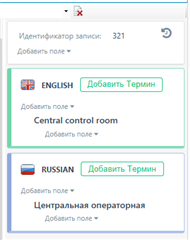
Font size turns too small once entering the field:
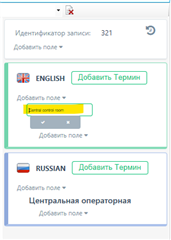
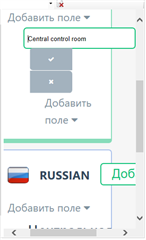
Using Ctrl + and - I may change scale but I believe the font size shouldn't change so drastically as I am editing a field:
Generated Image Alt-Text
[edited by: Trados AI at 12:12 AM (GMT 0) on 29 Feb 2024]

