Exact Word Formatting (as a target file)

Hello everyone,

I am totally new to Trados and I'm trying to solve a very basic problem concerning text formatting. I searched the Web and this particular forum but I can't seem to find the answer to my specific question. I therefore apologize in advance if this has already been discussed here!

Let's say a customer sends me a Word file with a source text. Said customer doesn't ask me to work on Trados, they just want me to send them the translation as a Word file. Anyway, as a translator I prefer to do this translation on Trados to be able to use my translation memory. So I import the Word text into Trados, complete the translation and... here comes my question:

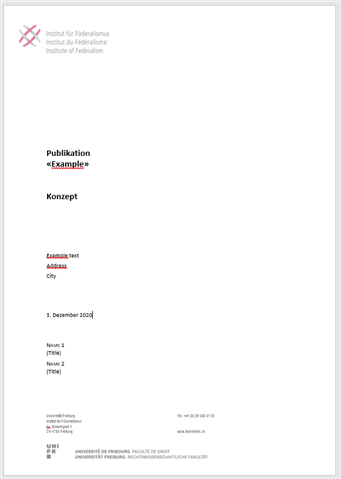
How do I get a Word file containing my translation AND displaying the original Word exact formatting?

Thank you so much in advance for your precious help!

Kind regards,

Lucas

Parents Reply
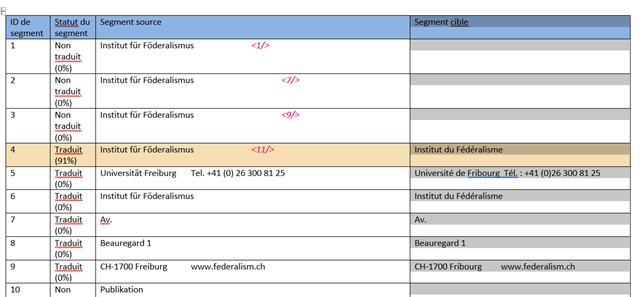
  • ok - so you have created a file that is typically used to check/review a completed translation.  Just the text, and not the formatting.

    If you want to review a translation in the finished format then save the target file and open it in the application it's intended for, in this case MS Word.  This file can be edited, light editing and not complete translations, and then used to update your translation in Studio using a process called Retrofit.

    But please note that whether you use Retrofit or "Export for Bilingual Review" you must ensure that the translation is aleady completed in Studio.  These processes are not intended for heavy editing since this should be done in Studio.

    Paul Filkin | RWS

    Design your own training!
    You've done the courses and still need to go a little further, or still not clear? 
    Tell us what you need in our Community Solutions Hub

Children