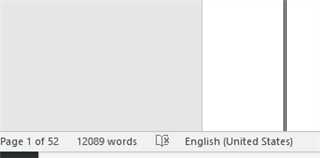
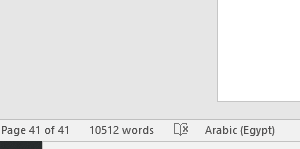
i have a serious problem , after translating 52 pages (in English) using mt google , the target pages( arabic ) number are 39 pages only

i have a serious problem , after translation 52 pages (in English)  using mt google  , the target  pages number are 39 pages only , the lines in the target file shifted up because of the small font or  something like this , plzzz   your support , I'm new to trados ,  plzzz

Parents Reply
  • Thanks  alot  Paul for your reply , i did what you mentioned , but still the problem existent , the text shifted up and  source and target not identical in layout ,after translation (first page contains words shifted from page 2 ) ?!! i have to work maually to make the target layout same as source ..

    In Studio, go to File -> Advanced save -> Save source as and then check, if the untranslated source differs from the file you started with.

    If it differs, there are problems in the file. In that case try to use a different format, like doc instead of docx. If it however does not differ, the problem is in the formatting of your translation.

    A small hint: in Word and Studio show all non-printable characters to see also page breaks, line breaks, tabs and so on. Additionally, in Studio go to File -> Options -> Editor and select "show all tags, but do not show any formatting" to make sure you have NOT missed any formatting when translating, which is very likely when using machine translation.

    _________________________________________________________

    When asking for help here, please be as accurate as possible. Please always remember to give the exact version of product used and all possible error messages received. The better you describe your problem, the better help you will get.

    Want to learn more about Trados Studio? Visit the Community Hub. Have a good idea to make Trados Studio better? Publish it here.

Children
No Data