Problems saving xliffs after adding a comment when many xliffs are opened at once

Hello, We experience massive problems when opening two or more xliffs at once and then adding a comment. From that moment on we are unable to safe the xliffs and we lose our work progress. It only helps to shutdown studio, open again the xliffs as single files or to delete the comment. Is there a solution anywhere to open multiple files and work with comments?

We are working with Studio 2017 SR1 14.1.10018.54792

Help would be very appreciated.

Thank you in advance.

Regards,

Judith

Parents
  • Hello ,

    I think it would be important to take a look at the xliffs.

    It appears, if I'm not mistaken that your company has a current valid SMA contract so I would suggest logging a support ticket and our support team can take a look at this for you.

    Oana Nagy | QA Engineer | RWS Group

  • Ok, here is what I tried so far:

    I created a project with the internal studio settings without using any template.

    I added a groupshare tm.

    I added two docx-files and created the project

    I opened two xliff files at once and added a comment. I tried to save.

    The following error orccured: "Der Objektverweis wurde nicht auf eine Objektinstanz festgelegt"

    I deleted the comment and I was able to save.

    I tried it with doc-files as well. Same error same behaviour.

    I deleted the tm from the settings and converted the word files to xliff with board ressources/filters.

    The same error occured.

    It must have something to do with studio itself, rather than with groupshare or any xliff filter.

    Any idea?

    Thank you in advance

    Regards,

    Judith

  • Hello ,

    If the problem was directly related to Studio, I would expect to see a lot of similar cases being raised which isn't the case ,

    It does appear that the error is somehow connected to 'comments'

    Are you merging the files?

    If you add only one file (as a test project) do the same problems occur?

    You mentioned the above error - 

    "Der Objektverweis wurde nicht auf eine Objektinstanz festgelegt"

    this is however very generic- please post the full error stack

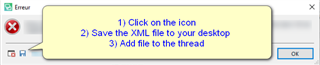
    Error message dialog box with an 'X' icon, instructing to click on the icon, save the XML file to desktop, and add file to the thread.

    Oana Nagy | QA Engineer | RWS Group

    emoji


    Generated Image Alt-Text
    [edited by: Trados AI at 1:29 AM (GMT 0) on 29 Feb 2024]
  • Hi Steven, please find attached the full error message as reuested:

    Thank you very much for your help!!

    Regards

    Judith

    <?xml version="1.0"?>

    -<SDLErrorDetails time="28.01.2021 13:33:33">

    <ErrorMessage>Object reference not set to an instance of an object.</ErrorMessage>


    -<Exception>

    <Type>System.NullReferenceException, mscorlib, Version=4.0.0.0, Culture=neutral, PublicKeyToken=b77a5c561934e089</Type>

    <HelpLink/>

    <Source>Sdl.TranslationStudio.Api</Source>

    <HResult>-2147467261</HResult>


    -<StackTrace>

    -<![CDATA[   at Sdl.TranslationStudio.Api.Common.SdlxliffXmlDocumentHelper.RemoveUnwantedCommentDefinitions(XDocument childDocument, XmlNamespaceManager nsManager)
       at Sdl.TranslationStudio.Api.Common.SdlxliffXmlDocumentHelper.TransferDocumentInfo(XDocument mergedDocument, XDocument childDocument, XmlNamespaceManager nsManager)
       at Sdl.TranslationStudio.Api.Common.MergedFileChildrenPersister.CreateChildFilesDocuments(XmlNamespaceManager nsManager)
       at Sdl.TranslationStudio.Api.Common.MergedFileChildrenPersister.SaveChildFiles(String outputFile, String[] bilingualFilePaths)
       at Sdl.TranslationStudio.Editor.TranslationEditor.TranslatableDocument.SaveBilingualImpl(String[] bilingualFilePaths, Boolean copy, IJobExecutionContext context, Boolean isAutoSaved)
       at Sdl.TranslationStudio.Editor.TranslationEditor.TranslatableDocument.Save(IJobExecutionContext context)
       at Sdl.TranslationStudio.Api.Editor.AbstractInternalDocument.SaveJobRequest.Execute(IJobExecutionContext context)
       at Sdl.Desktop.Platform.Implementation.Services.Job.<_worker_DoWork>b__46_0()
       at Sdl.Desktop.Platform.Implementation.Services.Log.Resources(Object message, Action action)
       at Sdl.Desktop.Platform.Implementation.Services.Job._worker_DoWork(Object sender, DoWorkEventArgs e)
       at System.ComponentModel.BackgroundWorker.OnDoWork(DoWorkEventArgs e)
       at System.ComponentModel.BackgroundWorker.WorkerThreadStart(Object argument)]]>
    </StackTrace>

    </Exception>


    -<Environment>

    <ProductName>SDL Trados Studio</ProductName>

    <ProductVersion>14.0.0.0</ProductVersion>

    <EntryAssemblyFileVersion>14.1.10018.54792</EntryAssemblyFileVersion>

    <OperatingSystem>Microsoft Windows 10</OperatingSystem>

    <ServicePack>NULL</ServicePack>

    <OperatingSystemLanguage>1031</OperatingSystemLanguage>

    <CodePage>1252</CodePage>

    <LoggedOnUser>translator</LoggedOnUser>

    <DotNetFrameWork>4.0.30319.42000</DotNetFrameWork>

    <ComputerName>SYS2019</ComputerName>

    <ConnectedToNetwork>True</ConnectedToNetwork>

    <PhysicalMemory>33553368 MB</PhysicalMemory>

    </Environment>

    </SDLErrorDetails>

  • Hello ,

    Thanks for this- very useful.

    As I suspected, this is because the files have been virtually merged as is most likely caused when one of the files has embedded content without any text at the beginning of the file.

    Unfortunately I cannot provide a timescale when there will be a fix available for this ( although this has already been logged).

    The only workaround at this time is to work with the files without virtually merging them.

    Oana Nagy | QA Engineer | RWS Group

  • Hi Steven,

    Thanks for your analysis so far. What do you mean with "embedded content without any text at the beginnen of the file". Is that something we could get rid of in advance by prepping the word file?

    Regards,

    Judith

Reply Children