
 Translate



Good evening,
I could not open New Project in Trados 2019, because the message "Sequence contains no matching elements" appears. I tried (I think) everything, what I found in Knowledge Base and Community.
I updated my Studio 2019 - my version is: SDL Trados Studio 2019 SR2: 15.2.8.3007
I tried the tip: Martti Kostamoinen: https://community.sdl.com/product-groups/translationproductivity/f/studio/28767/sequence-contains-no-matching-element/98758#98758, but it does not work.
I tried to reset/repaired my Studio via: https://gateway.rws.com/csm?id=kb_article_view&sysparm_article=KB0039395 - Workaround 2 and 3 but it is always the same: 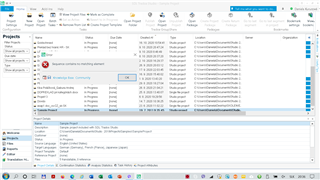
Can you please help me?
Thank you,
Daniela
Generated Image Alt-Text
[edited by: Trados AI at 12:47 AM (GMT 0) on 29 Feb 2024]


