
 Translate



Hi,
I am using the Trados Studio 2021 version for a translation task of PPT, which I converted from a PDF file.
Some items on the sheets in the original PDF files were truncated or missing after the conversion to PPT, but I complete the sheets manually on the PPT.
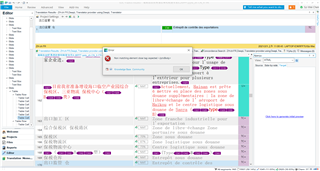
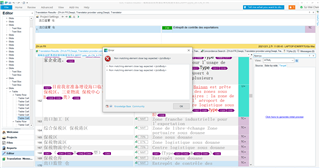
I had no problem previewing the document from Trados in the previsous days. However, when I picked up the translation task today to lauch a HTML or Microsoft preview, there was an error message: No matching elementclose tag.
Could this be related to some of the truncated sheets? What should I do to preview my current translation project?
I hope I can generate "Save Target as ppt" after I finish the translation!!
Regards,
Sz-Wei
Generated Image Alt-Text
[edited by: Trados AI at 12:53 AM (GMT 0) on 29 Feb 2024]

