 Translate



Why is an incomplete fuzzy match performed?
Although the fuzzy match detects 3 matches, the first 2 remain unchanged, only the delimiter is changed.

Generated Image Alt-Text
[edited by: Trados AI at 1:23 AM (GMT 0) on 29 Feb 2024]


Why is an incomplete fuzzy match performed?
Although the fuzzy match detects 3 matches, the first 2 remain unchanged, only the delimiter is changed.
Hi Anthony,
Thank you for your screen print.
I can see that technology seems to know what to do, when looking at the source segment. So why not apply to the target? Typically the technology sides on caution, so if its unsure it wont resolve.
Do you know where the repairs are being sourced from (TM or TB)
What version of Studio are you working on?
Reason I ask is because I did find a case with development which sounds like a match to your scenario.
Details of which include: Fuzzy matches in Studio missing some repairs (REF: LG-20593)
If its the same as your scenario, then it should be resolved by upgrading to SDL Trados Studio 2019 SR2 CU5
I hope this helps
Lydia
Oana Nagy | QA Engineer | RWS Group

Hi Lydia
Thanks for your reply. To answer your questions:
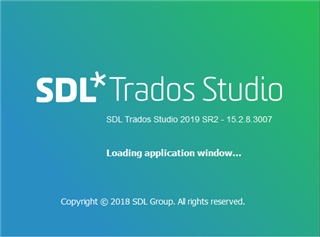
I deploy Studio 2019.
Unfortunately, I cannot reproduce the situation. But, from memory, the repairs are sourced from the TM (the basic match) with the replacement terms coming from the TB.
As the colouring shows, Studio knows what to do.
My "gut" feeling is that fuzzy matching has become less reliable after upgrading to SR2.
Regards
Tony


Anthony Rudd thank you for confirming your version of SDL Trados Studio.
Given you can no longer reproduce the unreliability of fuzzy match repair I can only but pick up on an interesting point you confirmed.
If the replacements are sourced from the TB, then do make sure SDL MultiTerm is also on the latest version.
Point of caution:
There are many cases where "term recognition" becomes unreliable if SDL Trados Studio has been upgraded, but not SDL MultiTerm.
An easy oversight, given users seldom need to work within SDL MultiTerm therefore avoiding the necessary updates.
Further advice:
Provided both applications are up to date, yet the issue reappears then do try the following.
Reorganise your Termbase. As described here:https://gateway.sdl.com/articles/FAQ/000001161
Hope this gives you further insight to what to check on in the future.
Lydia
Oana Nagy | QA Engineer | RWS Group
Anthony Rudd thank you for confirming your version of SDL Trados Studio.
Given you can no longer reproduce the unreliability of fuzzy match repair I can only but pick up on an interesting point you confirmed.
If the replacements are sourced from the TB, then do make sure SDL MultiTerm is also on the latest version.
Point of caution:
There are many cases where "term recognition" becomes unreliable if SDL Trados Studio has been upgraded, but not SDL MultiTerm.
An easy oversight, given users seldom need to work within SDL MultiTerm therefore avoiding the necessary updates.
Further advice:
Provided both applications are up to date, yet the issue reappears then do try the following.
Reorganise your Termbase. As described here:https://gateway.sdl.com/articles/FAQ/000001161
Hope this gives you further insight to what to check on in the future.
Lydia
Oana Nagy | QA Engineer | RWS Group