No Internet Connection after last update

Hi all,

I have read other threads on this topic but I can't seem to find a solution.

I have Studio 2021 and a few days ago I installed the last update. Since then, I have had a connection error ('no internet connection') window but my internet connection is fine.

I don't use cloud, so that's not a problem, but it won't look for updates either (not even manually).

Can anyone help?

Trados Studio notification window showing a connection error stating 'No internet connection' and advising to check network and try again with a 'Retry' button.

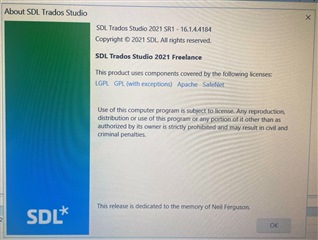
About SDL Trados Studio window displaying version information, copyright, license details, and a dedication to the memory of Neil Ferguson.

Thank you!


Generated Image Alt-Text
[edited by: Trados AI at 1:57 AM (GMT 0) on 29 Feb 2024]
emoji
Parents Reply Children
  • So this is your problem.  We use this as a check to validate that Studio really does have internet access and that way we know if the problem is Language Cloud access or a more general internet access.  https://1.1.1.1 is a very well known, safe, and very fast location for doing this very test.  If you are using a proxy then maybe you need to configure the proxy itself to ensure it is allowing access to this simple check?  If your proxy is denying access to this location you will continue to get it.  This KB refers:

    https://gateway.rws.com/csm?id=kb_article_view&sysparm_article=KB0040151

    If this doesn't help you get to the bottom of this problem then please create a new thread and explain what you have tried and what has been suggested.  Then we can convert it to a support case for an engineer to help you.  We can only create the case for the original poster and as you tacked onto the end of this one you'll need to create a new one.

    Paul Filkin | RWS

    Design your own training!
    You've done the courses and still need to go a little further, or still not clear? 
    Tell us what you need in our Community Solutions Hub