SDL Trados Studio 2021 SR1 - 16.1.4.4184 Update - Editor no longer showing shading of alternate segments

Hello,

Previously in the Editor view the alternate segments have had shading to indicate the a segment line form source to target. With the latest update the Editor view is totally white. I cannot find the settings function to display the segment lines.

Can anyone help?

Parents Reply
  • Thank you for the direct answer that there is no setting for this. And thank you for your patience. I have now reset many times, both before and since my post (including following your manual instruction), this does not seem to make any difference.
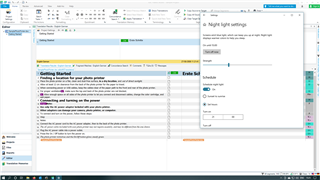
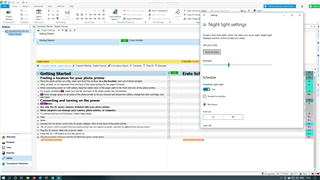
    The issue appears to be outside of Trados. The shading between segments appears when my screen is switched to Night Light Settings - but I have not been able to find a display setting that shows up the shading under normal daytime display. (see screenshot below - the first is with Night Light On and the second with Night Light Off - when I view this post before hitting "send" - in my browser the visibility of the segment shading in BOTH of these screen shots appears with Night Light On and disappears with Night Light Off ). So I am sorry to have troubled you - it seems the problem is at my end.


    Screenshot of Trados Studio interface with Night Light settings on, showing shaded segments between texts.

    Screenshot of Trados Studio interface with Night Light settings off, segments between texts are not shaded.

    emoji


    Generated Image Alt-Text
    [edited by: Trados AI at 1:36 AM (GMT 0) on 29 Feb 2024]
Children