 Translate



Hello,
Where can I find and edit the AutoCorrect file for Studio 2021?
Sandor

Hello,
Where can I find and edit the AutoCorrect file for Studio 2021?
Sandor
Assuming you're using Trados Studio 2019, you can find it here:
C:\Users\[UserName]\AppData\Roaming\SDL\SDL Trados Studio\15.0.0.0\AutoCorrectDictionaries
Now, if you really want to edit the AutoCorrect entries, I'd recommend:
1. Follow the usual procedure in Options > Editor > AutoCorrect:
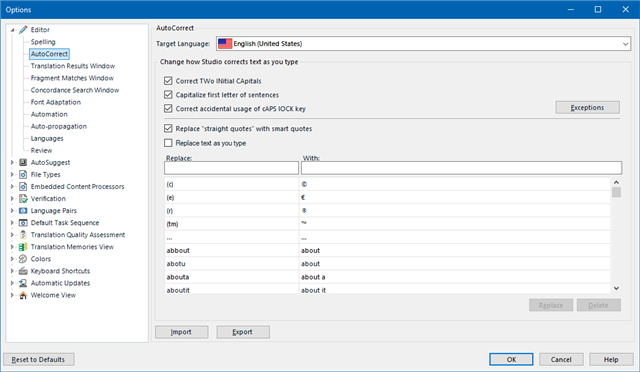
Otherwise the risk of corrupting the file is high, really high I'd say…
2. Use AutoHotkey, an external application. Then you can edit the entry list without ruining your AutoCorrect options. Please read this blog about how to extract your Office AutoCorrect entries and use them everywhere: https://multifarious.filkin.com/2013/05/31/autocorrect-for-everything/


