Termbase viewer not showing termbase files

Hello,

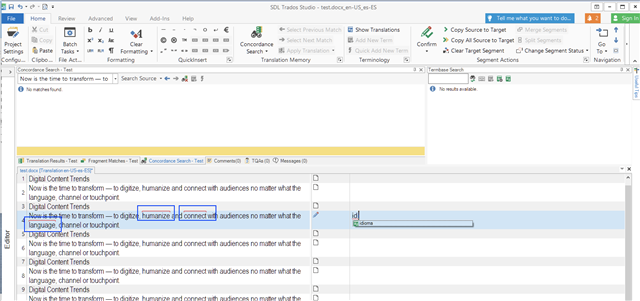
I'm using Studio 2021 SR1 16.1.3.4096 and Multiterm 2021 SR1 16.1.1.541 and I'm facing the following use with termbases in Studio: at some point in the middle of a project, the TB viewer stopped showing the content of termbase files. The termbase is still connected, though, as the terms are correctly recognized in the active segment (see attached image).

Multiterm Desktop works just fine.

Neither unloading/reloading the termbase, unloading/reloading the project, or exiting Studio would work to fix the problem.

At roughly the same time, Studio has turned very unstable: it suddenly closes for no apparent reasons several times a day. Unsure if it's connected with the TB issue or is just a coincidence.

Any suggestions?

Thank you in advance,

Valentina Luridiana


Parents Reply
  • Hi ,

    Please run the updates of Trados Studio, the latest build is Trados Studio SR1 build 16.1.4.4184. Multiterm is fine, has the updates installed to the latest build.

    After that, try again, please, it should work fine.

    On the other hand, the term does not show up in the Termbase Search window because you have to manually type the term to perform a lookup in the termbase.Otherwise, the terms will appear in the Term Recognition window - the tab that's actually missing from your screenshot. To have it active and visible again - and therefore see the terms recognized in the termbase - you can go to View tab -top  ribbon - the select "Reset Window layout". This will restore the default window and you can see the active terms.

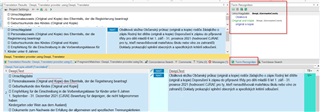
    Trados Studio update notification with highlighted message indicating the latest build 16.1.4.4184 is available for installation.

    Hope that does the trick!

    Let us know how it goes, please!

    Regards,

    Oana Nagy | QA Engineer | RWS Group

    emoji


    Generated Image Alt-Text
    [edited by: Trados AI at 2:00 AM (GMT 0) on 29 Feb 2024]
Children