
 Translate



Hi experts,
I work with a client on a long-term project. I just add and remove dozens of short files every day. All of them begin with a common project path in their file names.
In Studio, under the source flag, I can see 5 columns (as a minimum) that seem to be totally useless. They never change. Why do I need them at all? I mean Words, File Status, Progress, Path, and Local State columns.
On the other hand, I can't find anything that looks like a feature to sort files by date. When I add a bunch of new files, I always have to carefully read each their name to distinguish the newly added files from ongoing ones... When I switch to target, I can see the progress bar at least, that helps me figure out which files are new somehow or other. But when I need to prepare those new files in the source part of Trados, even this progress information is not available.
Is there any hidden method to sort source files by date?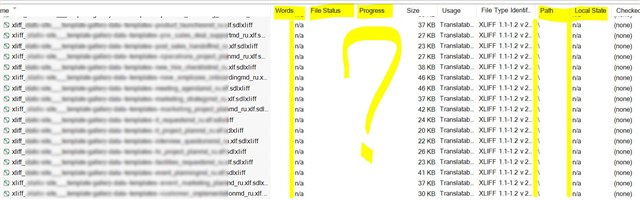
Generated Image Alt-Text
[edited by: Trados AI at 2:11 AM (GMT 0) on 29 Feb 2024]


