Cannot add files to existing projects, cannot analyse files

Hello,

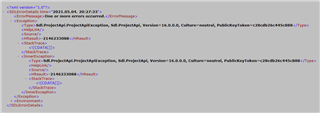
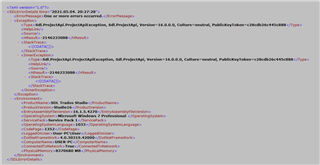
Yesterday I installed the latest update of Studio 2021. I suppose, since then I cannot add new files to existing projects or analyse files. The following message appears:
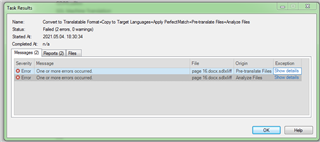
Trados Studio task results window showing failed status with two error messages stating 'One or more errors occurred' for file conversion tasks.

I've tried SDL Freshstart and repairing Studio, to no avail.

The batch tasks pre-translate and analyse do not work. I need to re-create all my projects.

All existing projects work fine in Studio 2019.

Urgent help is needed.

Kind regards

Sandor


Generated Image Alt-Text
[edited by: Trados AI at 2:24 AM (GMT 0) on 29 Feb 2024]
emoji
Parents Reply
  • OK, sorry–I have no more ideas. Something has gotten corrupt.

    What I would do now: close Studio. Go to Documents - Studio xxxx - Projects and backup the projects.xml from there, then rename the file to projects.xm_ When done, start Studio. The project list will now be completely empty. Use "Open Project" command from the Projects view to open any of the projects  and try again. If that worked, open only the projects you need to work on now, do not load old, finished projects. If it does not work, close Studio again and restore the previous projects.xml–in that very case let us hope for someone from SDL/RWS.

    _________________________________________________________

    When asking for help here, please be as accurate as possible. Please always remember to give the exact version of product used and all possible error messages received. The better you describe your problem, the better help you will get.

    Want to learn more about Trados Studio? Visit the Community Hub. Have a good idea to make Trados Studio better? Publish it here.

Children