


Target MS Word file crashes after a few minutes, copying into new Word Doc ou source file not working this time (Studio 2019)

Hi

After creating the translation file from Studio 2019 into MS Word, the file crashes after a few minutes. It happened before, and copying the file into a new Word doc worked last time, but not this time. I have also tried to follow a solution given here last year and I copied my file into the zip source archive (just dragged it into the folder, don't know if it was correct), or I copied the target file into the source file. Nothing works this time and the doc crashes (it's 143 pages with Excel docs embedded and images).

Parents Reply
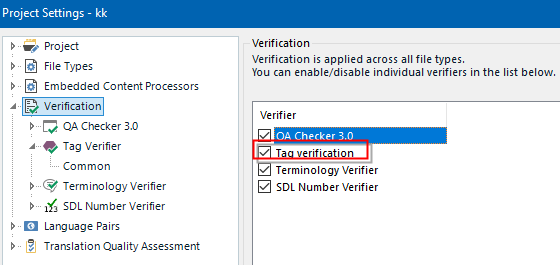
  • Have you merged any segments? Usually you can ignore these messages by unchecking the "Validate SDLXLIFF..." option in the sdlxliff file type within your project settings (NOT: File -> Options!) to be able to save target. However, if segments have been merged over paragraph boundaries, the result may still be an invalid Word document, especially if the merger has included segments with picture tags or similar.

    _________________________________________________________

    When asking for help here, please be as accurate as possible. Please always remember to give the exact version of product used and all possible error messages received. The better you describe your problem, the better help you will get.

    Want to learn more about Trados Studio? Visit the Community Hub. Have a good idea to make Trados Studio better? Publish it here.

Children
