
 Translate



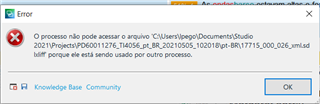
Sometimes I click on "save" while I'm translating a file and Trados gives me a message of error, saying the file cannot be accessed because it's being used in another process, which is something that doesn't make sense. See screen shot below. The message is in Portuguese.
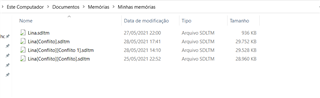
I've also noticed that new memories are being created automatically from the original memory but with the word [conflict]. It seems that these problems are related. What is going on?
Generated Image Alt-Text
[edited by: Trados AI at 2:40 AM (GMT 0) on 29 Feb 2024]


