
 Translate



I accidentally started "Update from Bilingual Review" with 422 translated files selected. I want to cancel all of it, but the popup only has "Cancel" which cancels it for one file only:
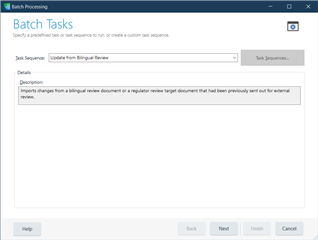
When pressing Cancel, a new dialog opens up for the next file, and so on.
I don't want to have to press Cancel 422 times because it takes several seconds for each file!
Generated Image Alt-Text
[edited by: Trados AI at 3:04 AM (GMT 0) on 29 Feb 2024]


