QA Checker flagging missing spaces and other punctuation problems where there are none

Hi All,

I recently changed to Trados Studio 2021 Starter from 2019 Starter and have been having issues with QA checks ever since.

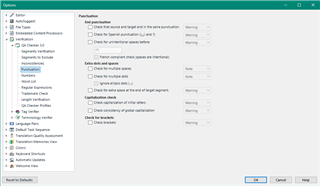
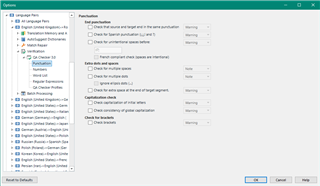
I haven't changed any of the QA settings, but when I verify a file I keep getting errors for extra spaces, space at the end of target segment and space before full stop when no such spaces exist. These are just plain text segments, so there is no issue with tags or anything, but I'm getting so many false positives that it's taking a good hour to go through them all manually.

Has anyone else had a similar problem and fixed it? It has happened on every single project since I switched over.

Thanks!

Parents Reply Children
  • Hi Paul,

    I changed from 2019 to 2021 - sorry, worded it a bit awkwardly!

    It has been happening with every project from one client.

    I've checked both settings and project settings and I think the warnings giving me trouble are the RegExs. If I disable the relevant ones, the false positives stop showing. But now I'm wondering why they aren't working.

    This is the project regex setting for the 'space at end of segment' warning. Why would this not work? (Sorry, having trouble uploading the screen grab)

    Space at end of segment

    --RegEx source:

    --RegEx target: \s$

    --Condition: Report if target matches (target check only)

    --Ignore case: flase

    Let me know if you have any insights!

    Thanks!