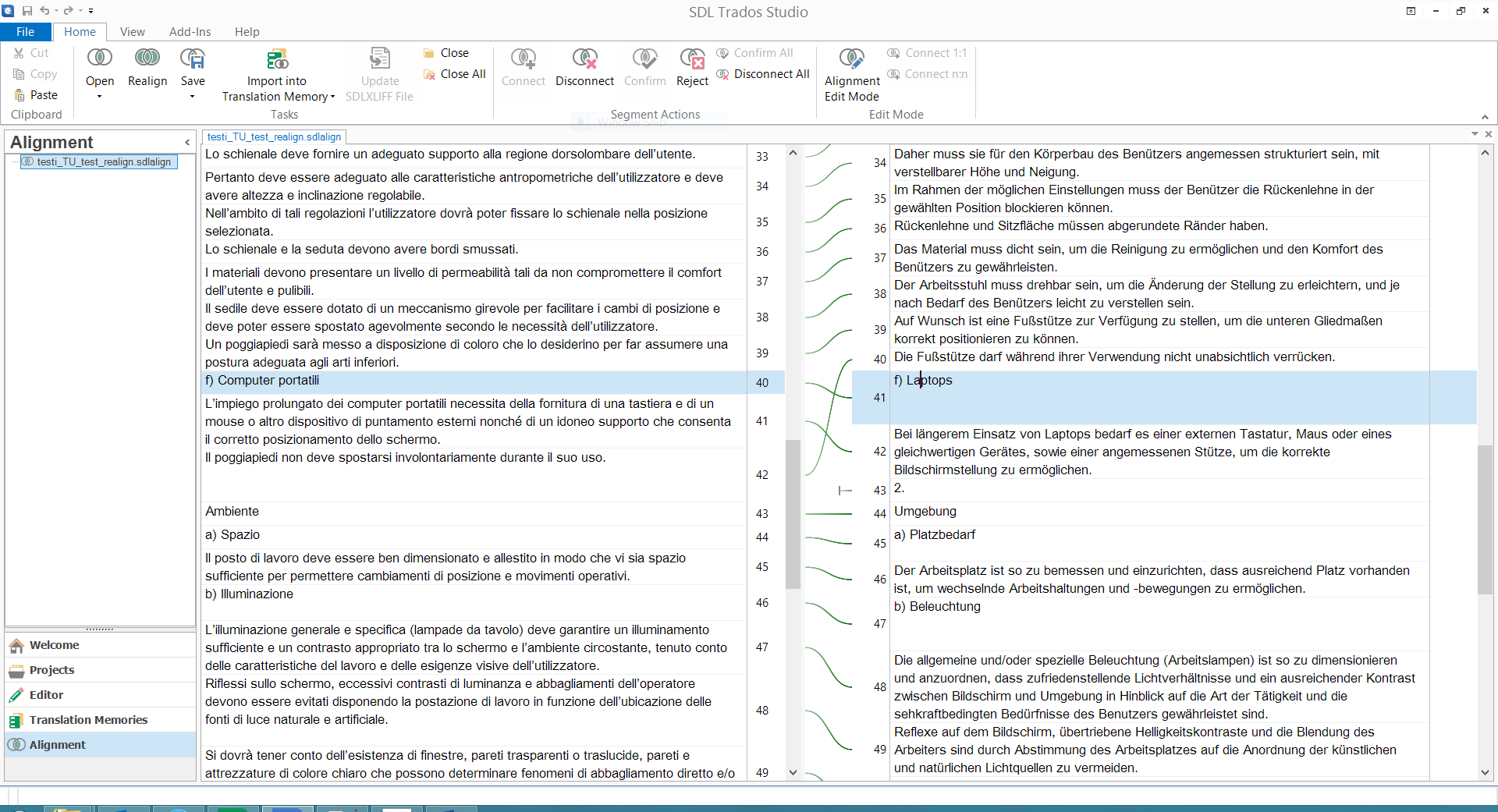
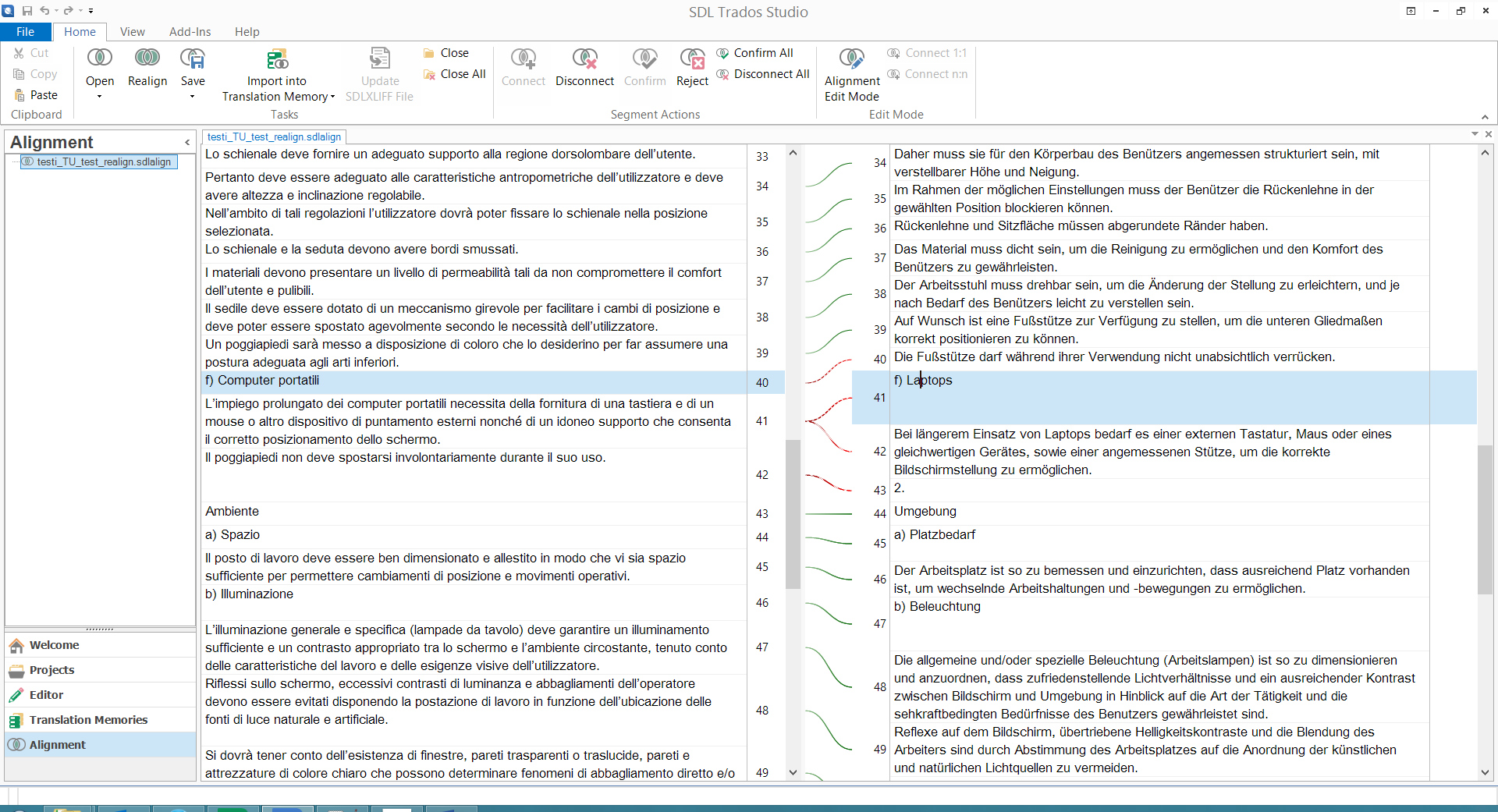
"Realign" undoes confirmed segments -> Same work twice

Former Member
Former Member

I'm doing some alignment and tried the function "Realign" (in Studio 2014) since it seemed to me to be necessary. However, the function undid several (if not all) of my previously confirmed connections (which had been misaligned in the first place and I had set right). Since the realign cannot be undone, I have to check all the connections again and dis-/reconnect the segments again, I just dis-/reconnected before. Shouldn't "Realign" only realign segments with uncertain connections and leave those which have been already deemed correct/cofirmed as they are?

Parents Reply Children
  • Former Member
    0 Former Member in reply to Former Member
    I should probably note that the screenshots above show only a small example alignment of a public text, where I confirmed all the segments to better see where Realign intervenes. My usual workflow is to only change and confirm connection lines between segments which have been aligned erroneously by the software and leave the others which are already correct as they are, and confirm all in the end. So by clicking Realign this morning, it undid quite a lot of work, since I could not tell anymore which segments I had dis- and reconnected (because now they were not confirmed anymore) and which were already ok, so basically I had to check all segments again and do also the reconnecting again.