Open AITranslator plugin not installed

Dear Community!

Any idea on why the OpenAI Translator plugin is not recognized by Trados? Or, let me put it like this: the plugin does not "see" the version of Trados installed.

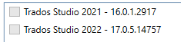
Current Trados version: 2022 (not 2022 SR1). Double clicking the sdlplugin file opens the following window:
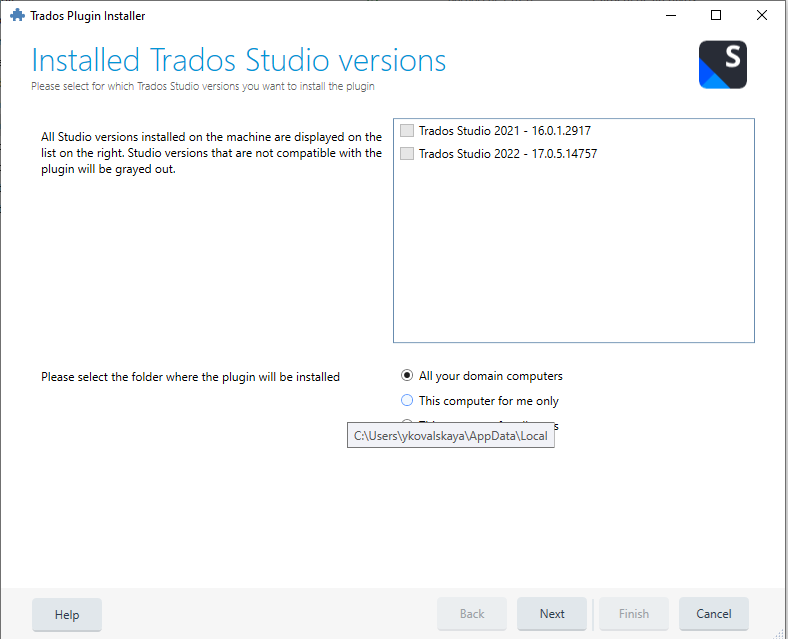
Trados Plugin Installer window showing Installed Trados Studio versions with Trados Studio 2021 and 2022 listed but grayed out, indicating incompatibility.

According to the standard message on the left, I do not have Studio 2022 on my computer. 

Anyone knows how to solve it?

Besides, it is impossible to sign up for the OpenAI account before I get the plugin installed.
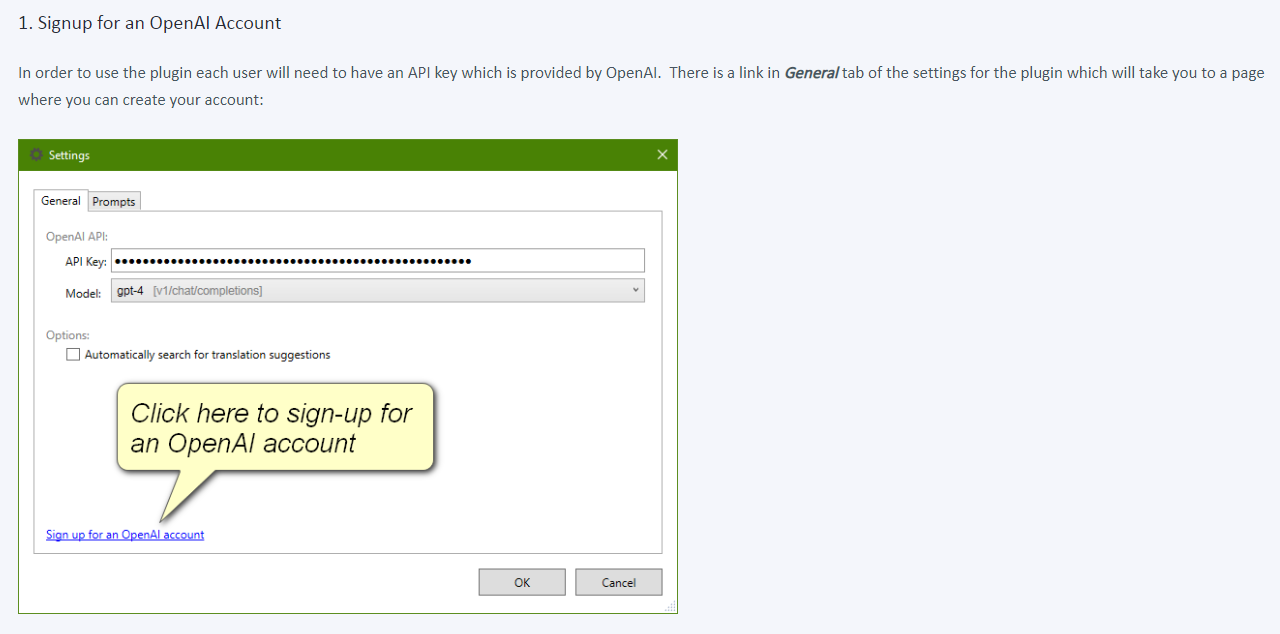
Settings window for OpenAI plugin with an API key field, model selection, and a clickable link to sign up for an OpenAI account.

Thanks in advance!


Generated Image Alt-Text
[edited by: Trados AI at 11:53 AM (GMT 0) on 29 Feb 2024]
emoji
Parents Reply
  •   

    I see little difference actually....

    Something is wrong....

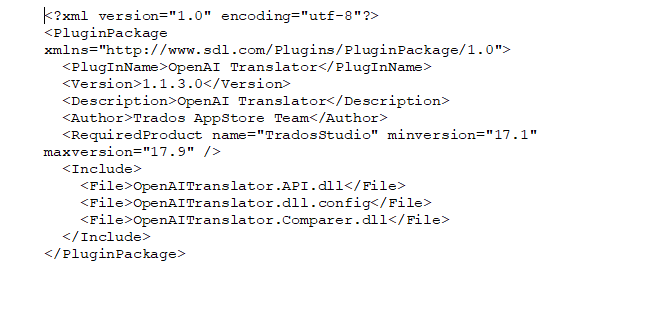
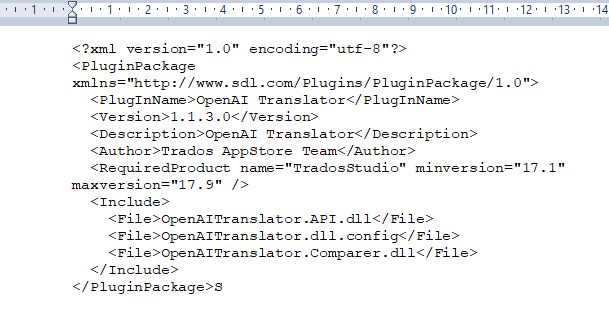
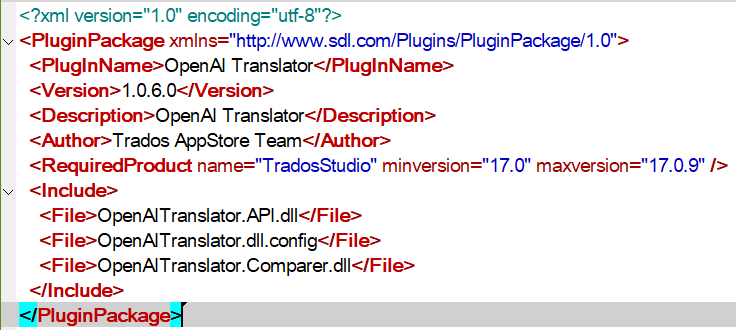
    Indeed!  I think the problem is you are not being careful enough.  I just downloaded the other one from the appstore and opened the pluginpackage.manifest.xml and see this:

    Screenshot sowing the plugin manifest details for version 1.0.6.0

    There is absolutely no question, you are not working with the right files.  I suggest you clear out these folders first:

    %APPDATA%\Trados\Trados Studio\17\Plugins

    %LOCALAPPDATA%\Trados\Trados Studio\17\Plugins

    c:\ProgramData\Trados\Trados Studio\17\Plugins

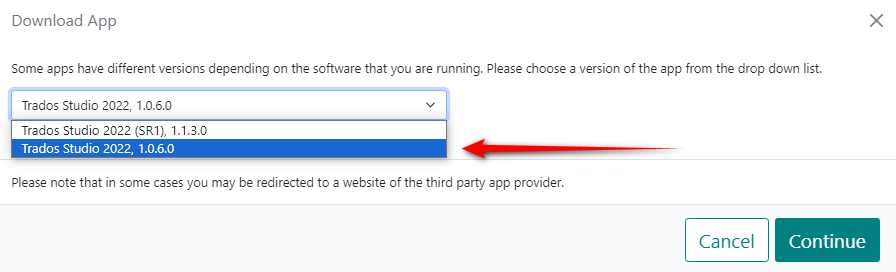
    Then delete every openai plugin you have on your computer.  Then go to the website and click on download and select this:

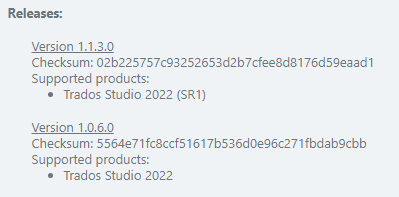
    Screenshot showing which plugin to download from the appstore

    Install it.

    Paul Filkin | RWS Group

    ________________________
    Design your own training!

    You've done the courses and still need to go a little further, or still not clear? 
    Tell us what you need in our Community Solutions Hub

    emoji
Children