
 Translate



Hello!
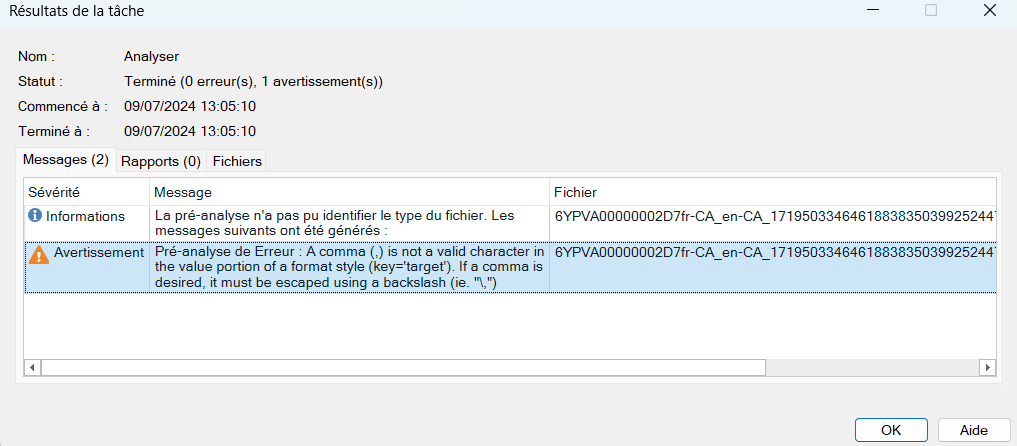
I've an Xml file and when creating the project in Trados studio 2024, I have the following error
"A comma (,) is not a valid character in the value portion fo a format style (key=target"). If a comma is desidered, it must be escaped usine a backslash (ie. "\")
When I open the file with de Notepad the part with the code error is the following:
<source><pc id="0" fs:fs="h1">Ligne 747 – YUL/Centre-Ville</pc><pc id="1" fs:fs="a" fs:subFs="target,_blank,rel,noopener noreferrer noopener noreferrer noopener noreferrer,href,
I hope somebody could help me ;-)
UPDATE!
I've solved the problem by creating a project in MemoQ, then I've exported the .mqxliff file and I've created a project in Trados with this .mqxliff file.
It works perfectly!
Now the question is, is there any setting I would have done in Trados to avoid to use MemoQ in between?
problem solved and I explain how I did it
[edited by: Alessia Vonau at 12:01 PM (GMT 1) on 9 Jul 2024]




