Bug when translating into Japanese

Hi Team,

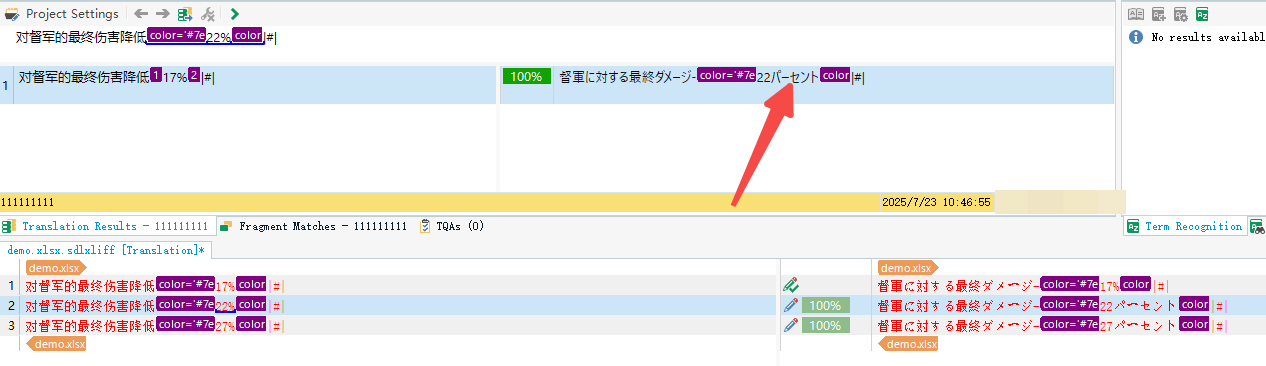
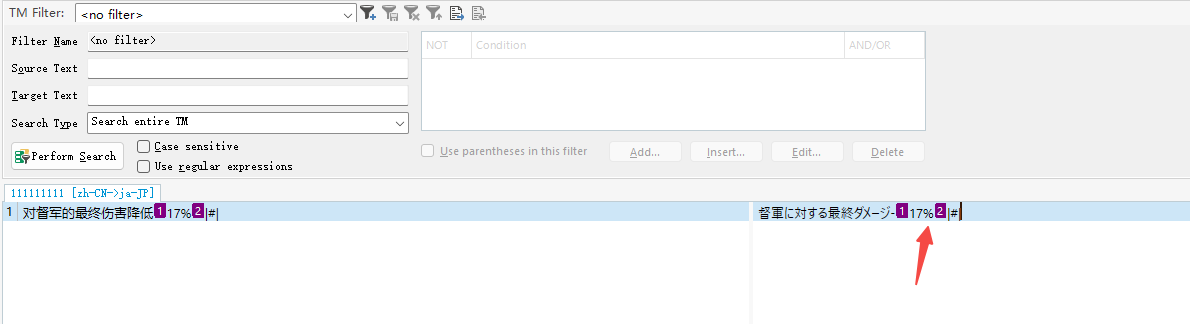
As you can see in my image below, the 1st segment was translated as 17%, and I updated my TM.

But When I trying to translate 2nd segment, it showed 17パーセント than 22%.

The TM is a clean new TM, doesn't contain any other segments.
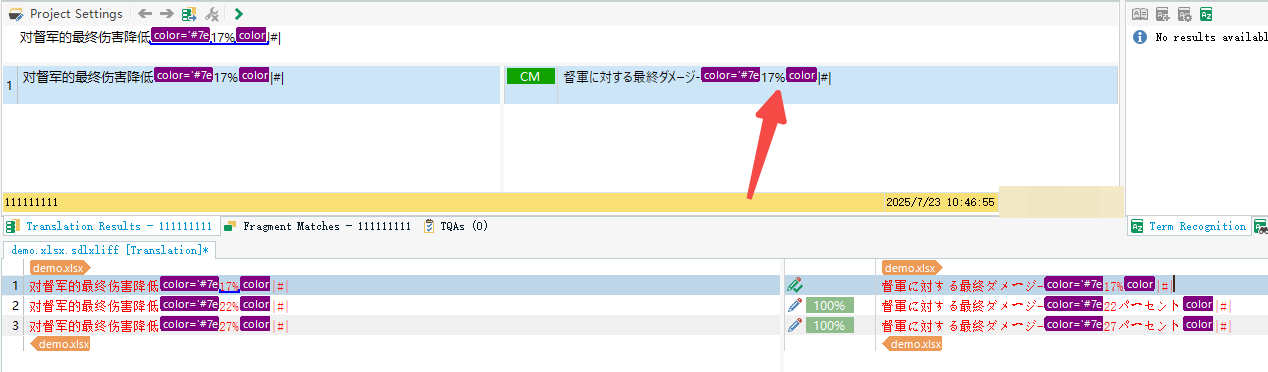
Screenshot showing Trados Studio with the first segment translated as 17% and highlighted in purple, with an arrow pointing to the 17% value.Screenshot showing Trados Studio with the second segment translated as 22% and highlighted in purple, with an arrow pointing to the 22% value.Screenshot showing the TM Filter in Trados Studio with a segment translated as 17% and highlighted in purple, with an arrow pointing to the 17% value.demo.xlsx


Generated Image Alt-Text
[edited by: RWS Community AI at 6:51 AM (GMT 1) on 23 Jul 2025]

emoji
  • Hi  and ,

    I have a new issue related, is it possible to help me review?

    In my project, the source text contains numbers in the format [num]级 (e.g., "30级"), while the target translation should be Lv.[num] (e.g., "Lv.30"). However, Trados is unable to recognize the number in the target segment, which prevents it from applying auto-translation/number recognition correctly.

    I attempted to work around this by adding  as a Source measurement and Lv. as a Target measurement in the Measurements settings of the TM's Language Resources. Unfortunately, this approach does not seem to support Source-to-Target measurement mapping — instead of outputting the Target measurement "Lv.", Trados simply carries over the Source measurement "级" into the translation.

    Screenshot showing Trados Studio interface with highlighted segments. Source text includes numbers with 'ji' and target text uses 'Lv.'. A red circle highlights a segment with a 97% match.

    My questions:
    1. Is there a way to configure the Measurements settings so that Trados correctly maps  (source) → Lv. (target) for number recognition purposes?
    2. If not, is there any other Suggestions? 

     is just one example, there are many other similar source/target measurement pairs in my project.

    I also tried with 2024 trail, but it has the same issue.

    Any guidance would be greatly appreciated. Thank you!

    emoji


    Generated Image Alt-Text
    [edited by: RWS Community AI at 6:43 AM (GMT 0) on 11 Mar 2026]