Windows size reduced after downloading and installing the last update

Good afternoon,

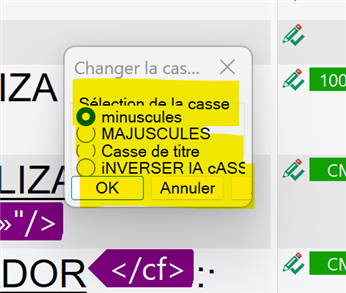
I've just downloaded and installed the last update and now all the windows in Studio are little and the text is cut or layer. Can you tell me how to correct this. It is very inconvenient.

Thank you in advance.

Trados Studio 2024 SR1 - 18.1.3.6657

Computer screen: 21 in.

Best regards,

Sandrine
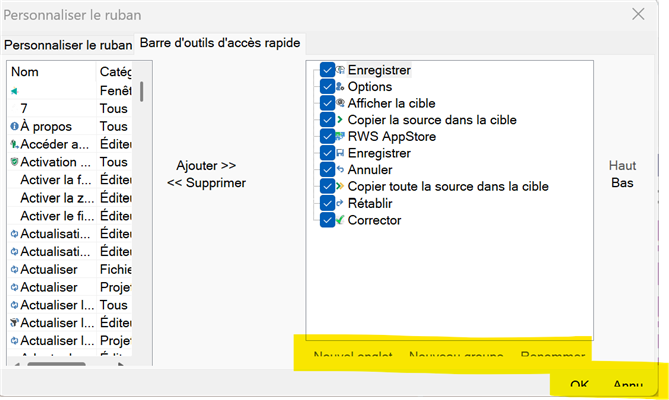
Trados Studio customization window showing ribbon options and quick access toolbar settings with highlighted buttons for adding and removing items.Trados Studio dialog box for changing text case with options for lowercase, uppercase, title case, and inverted case, highlighted OK and Cancel buttons.Screenshot showing a portion of the Trados Studio interface with text partially cut off and overlapping, with a red arrow and the word 'hidden' written on the image.


Removed AI Suggestion
[edited by: SANDRINE ZEROUALI at 12:25 PM (GMT 0) on 18 Dec 2025]

emoji
Parents Reply
  •  

    Chose a fresh user profile via File -> Setup -> Manage user profiles -> Change user profile. Browse to C:\Program Files (x86)\Trados\Trados Studio\Studio18\UserProfiles then chose one from there. Confirm overwriting an existing profile. Wait until finished, restart Studio. Open any file in the editor, go to the View menu and chose "Reset window layout". This should solve any problems with the view in Studio.

    _________________________________________________________

    When asking for help here, please be as accurate as possible. Please always remember to give the exact version of product used and all possible error messages received. The better you describe your problem, the better help you will get.

    Want to learn more about Trados Studio? Visit the Community Hub. Have a good idea to make Trados Studio better? Publish it here.

    emoji
Children
No Data