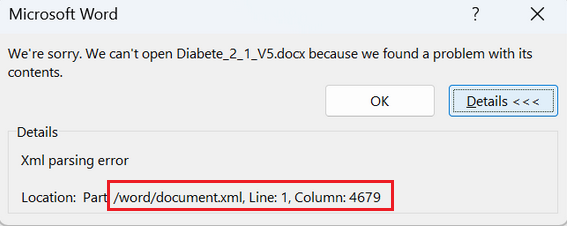
Generate Target Translation/Save as Target to WORD not working due to XML parsing error

Hello there,

In November, I had issues with my company's XLF files consistently crashing. Unfortunately, we were unable to find a solution. Virgil recommended that I work from my C drive, since my company network had a lot going on. But the XLF files continued to crash within 10 to 45 minutes. As a workaround, I asked my colleagues to convert the XLF files to Word. In this format, TRADOS did not crash. However, now that I am ready to generate the target translations, the Batch tasks "Generate Target Translations" is not working. Save Target as also does not work. I get the following error message.
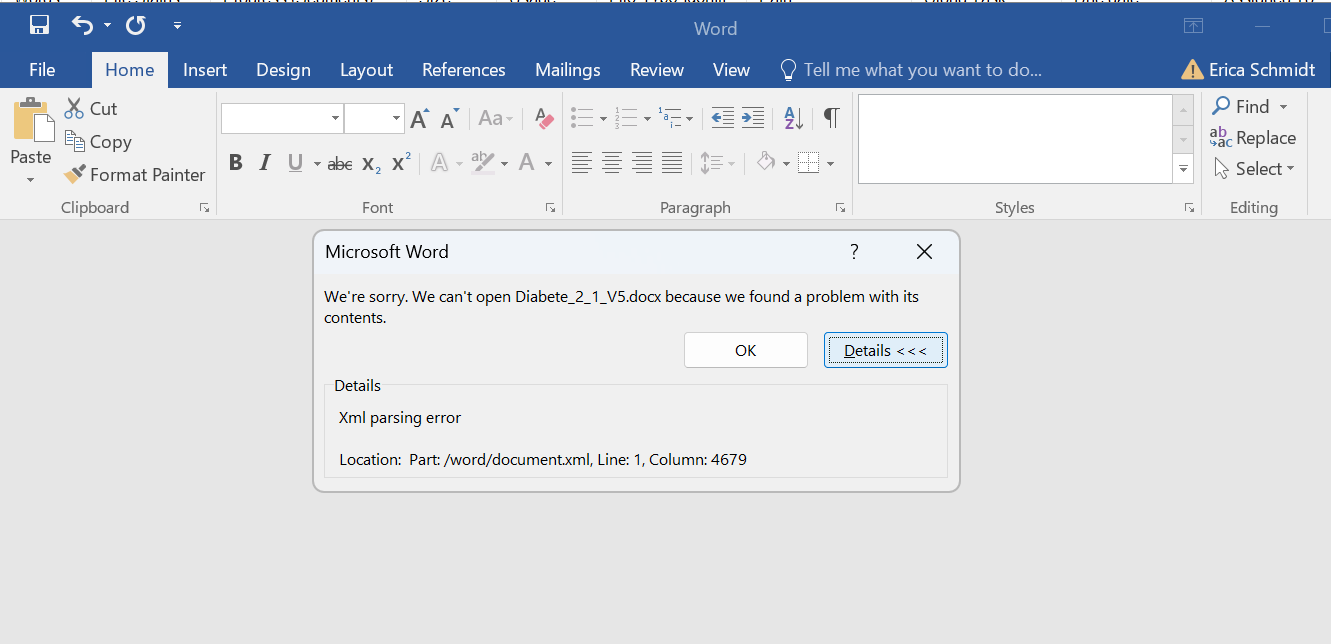
Microsoft Word error message stating 'We can't open Diabete_2_1_V5.docx because we found a problem with its contents.' Details show 'XML parsing error' at Line 1, Column 4679.

As recommended by tech support, I have recently updated to the latest version of TRADOS but to no avail. As suggested in various TRADOS queries, I tried converting the target translation file to RTF of uploading it to Google docs. The files were unusable. 

There is no Column 4679 in the document, so I don't know what I would do correct this. 

Both my IT team and Trados support has done everything they could to find a solution here, but it is truly baffling. I welcome your feedback and suggestions. 

Thank you and best wishes, Erica


Generated Image Alt-Text
[edited by: RWS Community AI at 3:29 PM (GMT 0) on 30 Dec 2025]
emoji
Parents
  •  

    There is no Column 4679 in the document, so I don't know what I would do correct this. 

    That 4679 column is in the document.xml file under the word folder, as reported by Word:

    Microsoft Word error message stating it cannot open Diabetes_2_1_V5.docx due to a problem with its contents. Details show an XML parsing error at worddocument.xml, Line 1, Column 4679.

    You can see what’s there if you change the extension from DOCX file to ZIP. Then go to the word folder in Windows Explorer and open the document.xml file with a decent text editor, such as Notepadd++. Now go to that 4679 column number (you’ll see the column number in the status bar):

    Notepad++ status bar showing the cursor position at Line 1, Column 4679.

    My bet is that there is a wrong character there (it can be a blank square character □) that you may delete it (at least to test if it works). Now save the document.xml file and close it in Notepad++ and recreate the docx file. Can you open it now in Word? If so, you may consider delete that offending character from the original XLF file. Your IT team should be able to help you here, but if you are stuck, please come back.

    emoji


    Generated Image Alt-Text
    [edited by: RWS Community AI at 7:54 AM (GMT 0) on 31 Dec 2025]
  •  Hello there, Thank you so much for this. I opened the .xml folder but did not find the small box, or anything obviously corrupt. According to Claude.ai, this code is clean. (see below) I am wondering if there is something corrupt about my translation memory. I have been using the same one for the past 18 months. Our projects tend to be heavy on code but TRADOS automatically locks this so that ideally it remains intact. Are there tests I can run to determine if the TM is the culprit? Any other suggestions. Thanks so much and Happy New Year, Erica. 4679Next</w:t></w:r></w:p></w:tc></w:tr><w:tr><w:trPr><w:cantSplit /></w:trPr><w:tc><w:tcPr><w:tcW w:w="825" w:type="dxa" /></w:tcPr><w:p><w:r><w:t xml:space="preserve">F+E</w:t></w:r></w:p></w:tc><w:tc><w:tcPr><w:tcW w:w="1706" w:type="dxa" /><w:vMerge w:val="restart" /></w:tcPr><w:p><w:r><w:t xml:space="preserve">Text Box 1 - Normal state</w:t></w:r></w:p></w:tc><w:tc><w:tcPr><w:tcW w:w="3910" w:type="dxa" /><w:vMerge w:val="restart" /></w:tcPr><w:p><w:pPr><w:textDirection w:val="lrTb" /></w:pPr><w:r><w:rPr><w:b w:val="false" /><w:i w:val="false" /><w:strike w:val="false" /><w:sz w:val="28" /><w:u w:val="none" /><w:vertAlign w:val="baseline" /><w:rFonts w:ascii="Amsi Pro Cond SemiBold" w:hAnsi="Amsi Pro Cond SemiBold"/></w:rPr><w:t xml:space="preserve">Reference</w:t></w:r></w:p></w:tc><w:tc><w:tcPr><w:tcW w:w="2991" w:type="dxa" /></w:tcPr><w:p><w:r><w:t xml:space="preserve">Reference</w:t></w:r></w:p></w:tc></w:tr></w:tbl><w:p><w:pPr><w:pStyle w:val="Heading3" /></w:pPr><w:r><w:t xml:space="preserve">Slide Layer:</w:t></w:r><w:r><w:t xml:space="preserve"> </w:t></w:r><w:r><w:t xml:space="preserve"> 

  •  

    Did you open it with Notepad++? And with the pilcrow button pressed on the toolbar?

    emoji
Reply Children
No Data