Verification error on Excel files -> StartIndex cannot be less than zero

I’ve run into this verification issue on a few Excel files. Is there a workaround available?
I’ve attached the corresponding Trados package.

Failed to verify document: StartIndex cannot be less than zero.
Parameter name: startIndex
Test Project-1302026.zip
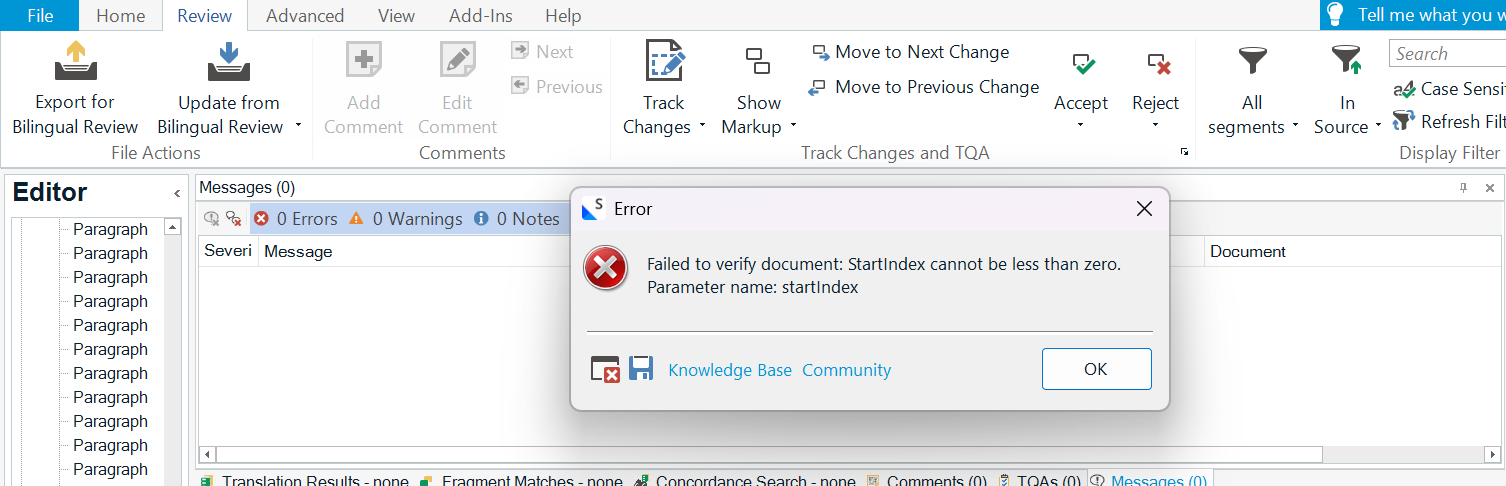
Trados Studio interface showing an error message: 'Failed to verify document: StartIndex cannot be less than zero. Parameter name: startIndex.' The error dialog includes OK, Knowledge Base, and Community options. 


Removed AI Suggestion
[edited by: Arya. H at 5:54 AM (GMT 0) on 30 Jan 2026]
emoji
  • Probability score: 0.6  

    Question improvement suggestion: Provide specific details about the version of Trados Studio you are using and any troubleshooting steps you have already attempted.  

    In the meantime, based on the information you have provided, here is a suggested answer to your question:  

    Hello,  

    It seems you are encountering a verification error with your Excel files in Trados Studio, specifically the "StartIndex cannot be less than zero" message. Here are some steps you can take to troubleshoot and potentially resolve this issue:  

    **Step 1:** **Check for Custom Views**  

    - Open the Excel file in Microsoft Excel.  

    - Go to the "View" tab and click on "Custom Views."  

    - Delete any custom filters that may be present.  

    - Save the file and then try opening it again in Trados Studio.  

    **Step 2:** **Investigate the Excel File Structure**  

    - Right-click on the Excel file and use an unzip program (like 7-Zip) to extract its contents.  

    - Navigate to the "xl" folder and open "workbook.xml" in a text editor (e.g., Notepad++).  

    - Check if the sheet ID is consistent; it should match the active sheet ID. If there is a discrepancy, this may be causing the error.  

    **Step 3:** **Split the File**  

    - If the file is large, consider splitting it into smaller .xlsm files and processing them separately in Trados Studio.  

    **Step 4:** **Disable Language Tool Plugin**  

    - Go to Project Settings > Verification and disable the Language Tool plugin, as it may be causing conflicts during verification.  

    **Step 5:** **Check for Updates**  

    - Ensure that you are using the latest version of Trados Studio. Check for updates within the application to ensure you have the most recent fixes and improvements.  

    If these steps do not resolve the issue, please provide additional details about your Trados Studio version and any other troubleshooting steps you have already taken. This will help in providing a more tailored solution.  

    I hope this answer addressed your question. If not, please reject the answer, add the question improvement suggestion information, and click the RWS Community AI checkbox on the right to try again.  

    RWS Community AI

    emoji