
 Translate



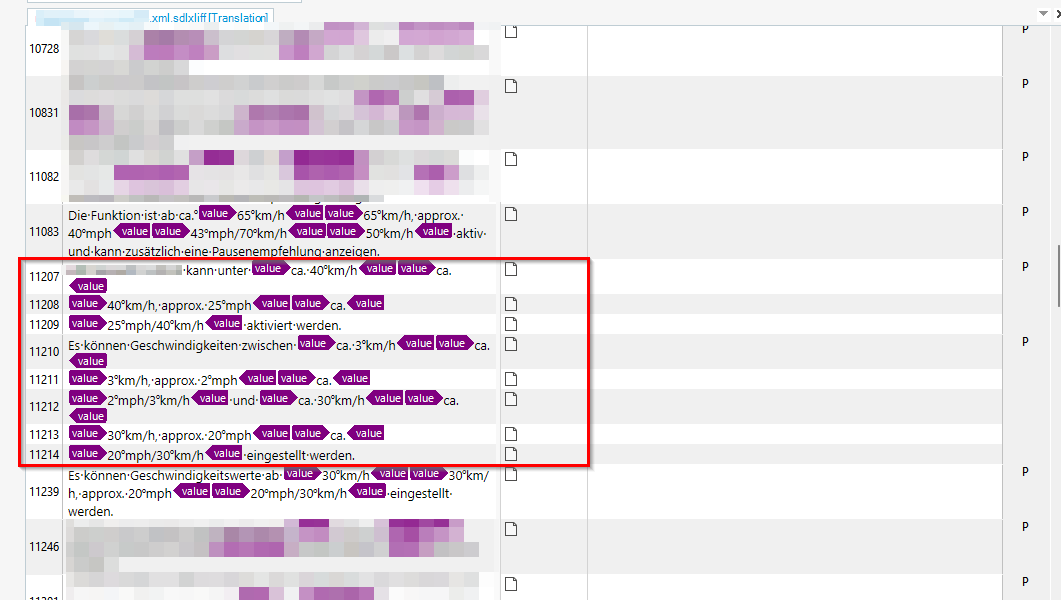
Using Trados Studio 2022 SR2 CU12 we have had problems with segmentation with a filetype based on the XML 2 filetype settings.
The problem arises when there are inline tags with text to be translated and when text between the tags begins with an abbreviation and there is no whitespace preceeding the opening tag. Concretely it happened for an inline tag which is used for variables. There are three variables in the segment, one after the other, each enclosed with their tag pair but without whitespaces around the tags.
When this is the case, Trados 2022 seems to read the characters preceeding the opening tag and the characters of the abbreviation as one word - but does not recognize an abbreviation. Trados 2022 interprets the end of a phrase and ends the segment.
In previous versions of Trados Studio, such as Trados 2021, the old XML filetype settings allowed to define for inline elements that inside text the tag acts as a word end. This led to a correct segmentation.
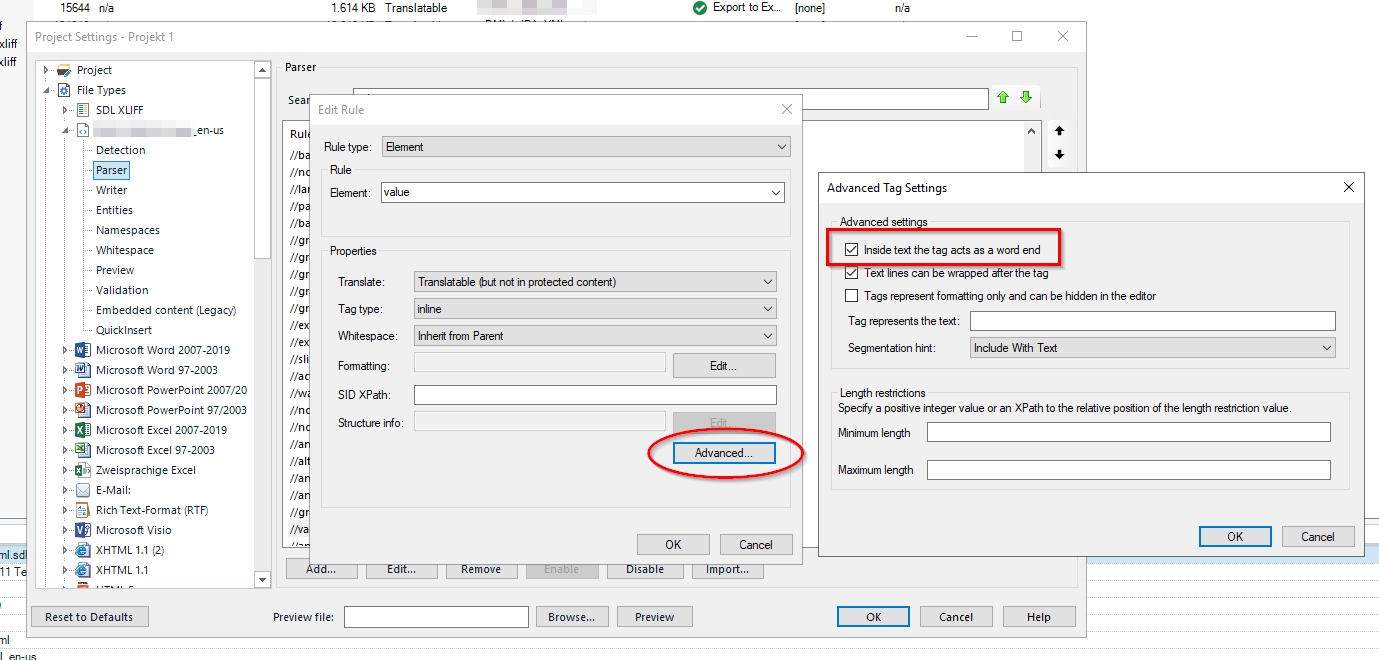
This option seems to be missing for the new XML 2 filetype settings. Is there a different option?
We came up with a workaround which is to add the string resulting from the charcaters before the opening tag + the characters of the abbreviation ("mphca.", "km/hca.", etc.) as new abbreviations to the translation memory. This helps for the cases that we have encountered by now. Unfortunately this is not sustainable since we do not know which character combinations may come in the future.
Generated Image Alt-Text
[edited by: RWS Community AI at 5:30 PM (GMT 0) on 25 Feb 2026]


