
 Translate



I have changed computers. I installed Trados Studio in the new one (after having unregistered the installation in my old one). But when I try to start it, I get this error message:
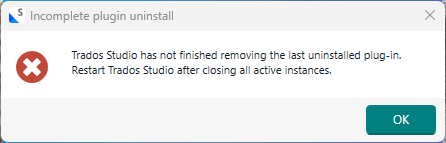
Since I haven't installed any plugins, this message confused me. So I opened C:\users\<name>\AppData\Roaming\Trados\TradosStudio\18\Plugins\Packages, and lo! there were in fact two plugins there, obviously having been included in the installation. So I deleted them (and also checked the same place in AppData\Local, which was empty.
Upon trying to start Trados again, I got the same message.
This is very strange. What should I do, and how can this error appear?
Meanwhile, I shall try uninstalling Trados and then re-install it again. I suspect the result will be the same, however.
Generated Image Alt-Text
[edited by: RWS Community AI at 1:26 PM (GMT 0) on 9 Mar 2026]

