


TS has not finished removing the last uninstalled plug-in -- but there are no plugins!

I have changed computers. I installed Trados Studio in the new one (after having unregistered the installation in my old one). But when I try to start it, I get this error message:
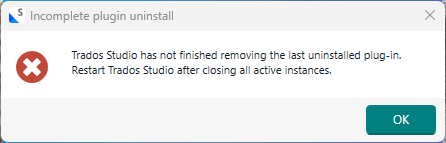
Error message window titled 'Incomplete plugin uninstall' with text: 'Trados Studio has not finished removing the last uninstalled plug-in. Restart Trados Studio after closing all active instances.' and an 'OK' button.

Since I haven't installed any plugins, this message confused me. So I opened C:\users\<name>\AppData\Roaming\Trados\TradosStudio\18\Plugins\Packages, and lo! there were in fact two plugins there, obviously having been included in the installation. So I deleted them (and also checked the same place in AppData\Local, which was empty.

Upon trying to start Trados again, I got the same message.

This is very strange. What should I do, and how can this error appear?

Meanwhile, I shall try uninstalling Trados and then re-install it again. I suspect the result will be the same, however.


Generated Image Alt-Text
[edited by: RWS Community AI at 1:26 PM (GMT 0) on 9 Mar 2026]

emoji
Parents Reply
  • I think I ought to add this explanation from Bogdan:

    Starting Studio with admin helps, just for this particular issue, if the folders are already renamed (as in your case).

    It is not a blanket solution for Studio issues. 

    It is possible, the permissions for your new computer are set, by default, on a higher setting than on your old one, This can happen for the Windows User Account Control, for example.

    Either installing Studio with admin rights ( just running the installer that way instead of double-clicking it) or starting it with admin rights for the first time after setting it up helps for Studio to create the necessary permissions on such an environment but again, it's not a blanket solution.

    emoji
Children
No Data
