TS has not finished removing the last uninstalled plug-in -- but there are no plugins!

I have changed computers. I installed Trados Studio in the new one (after having unregistered the installation in my old one). But when I try to start it, I get this error message:
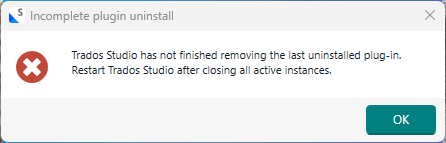
Error message window titled 'Incomplete plugin uninstall' with text: 'Trados Studio has not finished removing the last uninstalled plug-in. Restart Trados Studio after closing all active instances.' and an 'OK' button.

Since I haven't installed any plugins, this message confused me. So I opened C:\users\<name>\AppData\Roaming\Trados\TradosStudio\18\Plugins\Packages, and lo! there were in fact two plugins there, obviously having been included in the installation. So I deleted them (and also checked the same place in AppData\Local, which was empty.

Upon trying to start Trados again, I got the same message.

This is very strange. What should I do, and how can this error appear?

Meanwhile, I shall try uninstalling Trados and then re-install it again. I suspect the result will be the same, however.


Generated Image Alt-Text
[edited by: RWS Community AI at 1:26 PM (GMT 0) on 9 Mar 2026]

emoji
Parents
  • Hi,

    I don't know if this is relevant, but I always delete plugins via the Plugin Installer. This way I'm sure that all versions of the plugin are deleted.
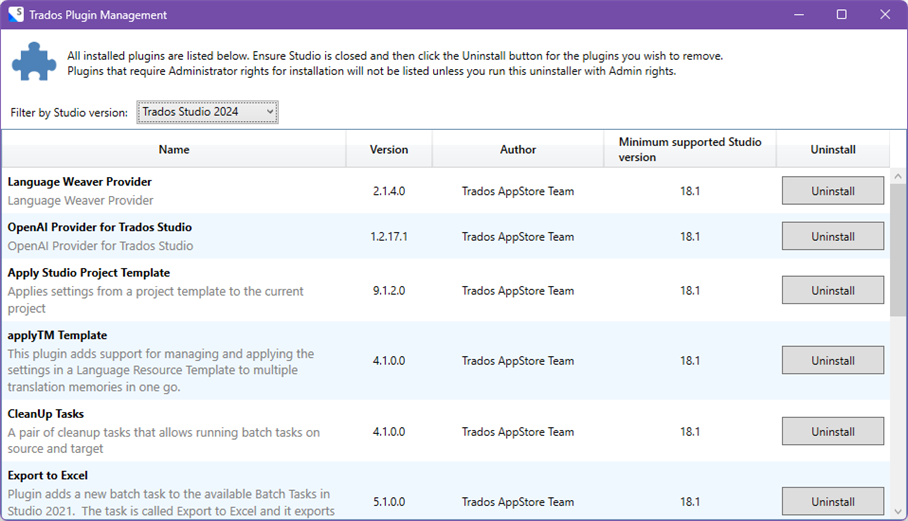
    The path to the Plugin Installer on my computer is the following: C:\Program Files (x86)\Trados\Plugin installer. You dubble click on the .exe file to open the window to uninstall your plugins. Plugins that require admin rights, are not shown in the list, unless you run this with admin rights.

    Kind regards,
    Katleen


    Trados Plugin Management window showing a list of plugins with columns for Name, Version, Author, Minimum supported Studio version, and Uninstall buttons.

    emoji


    Generated Image Alt-Text
    [edited by: RWS Community AI at 2:07 PM (GMT 0) on 17 Mar 2026]
Reply
  • Hi,

    I don't know if this is relevant, but I always delete plugins via the Plugin Installer. This way I'm sure that all versions of the plugin are deleted.
    The path to the Plugin Installer on my computer is the following: C:\Program Files (x86)\Trados\Plugin installer. You dubble click on the .exe file to open the window to uninstall your plugins. Plugins that require admin rights, are not shown in the list, unless you run this with admin rights.

    Kind regards,
    Katleen


    Trados Plugin Management window showing a list of plugins with columns for Name, Version, Author, Minimum supported Studio version, and Uninstall buttons.

    emoji


    Generated Image Alt-Text
    [edited by: RWS Community AI at 2:07 PM (GMT 0) on 17 Mar 2026]
Children
No Data