Translate



I am using a Termbase where the terms have important fields. The font size of those fields is tiny and the font color is very light so I can hardly see the field content.
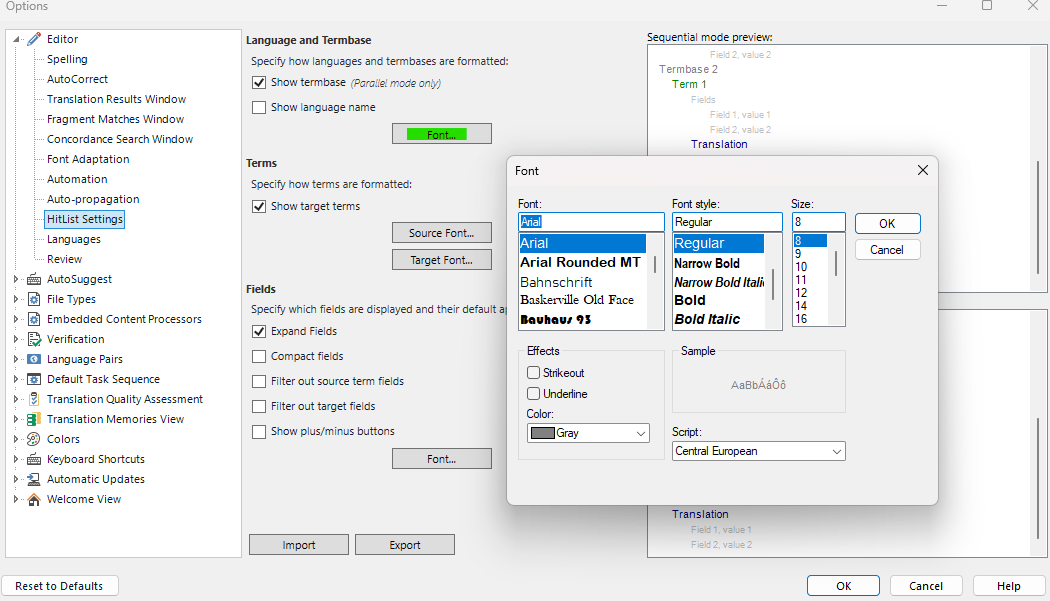
I have seen a video online where the section Fields has a Font button which allows to change both the font size and color. I don't know which Studio version this is: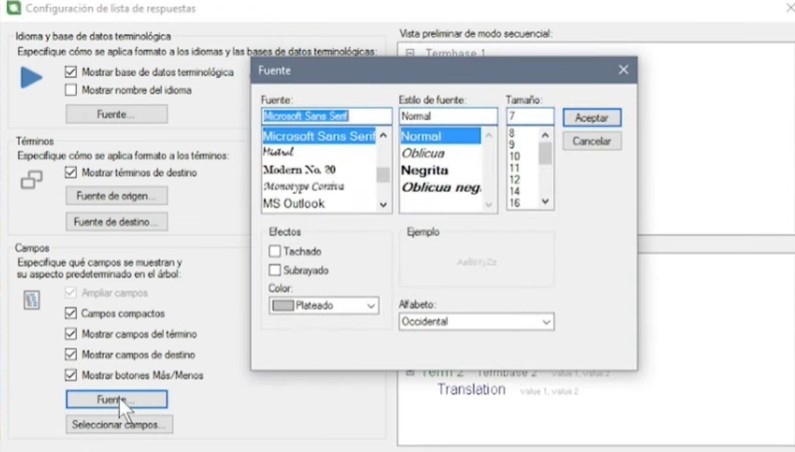
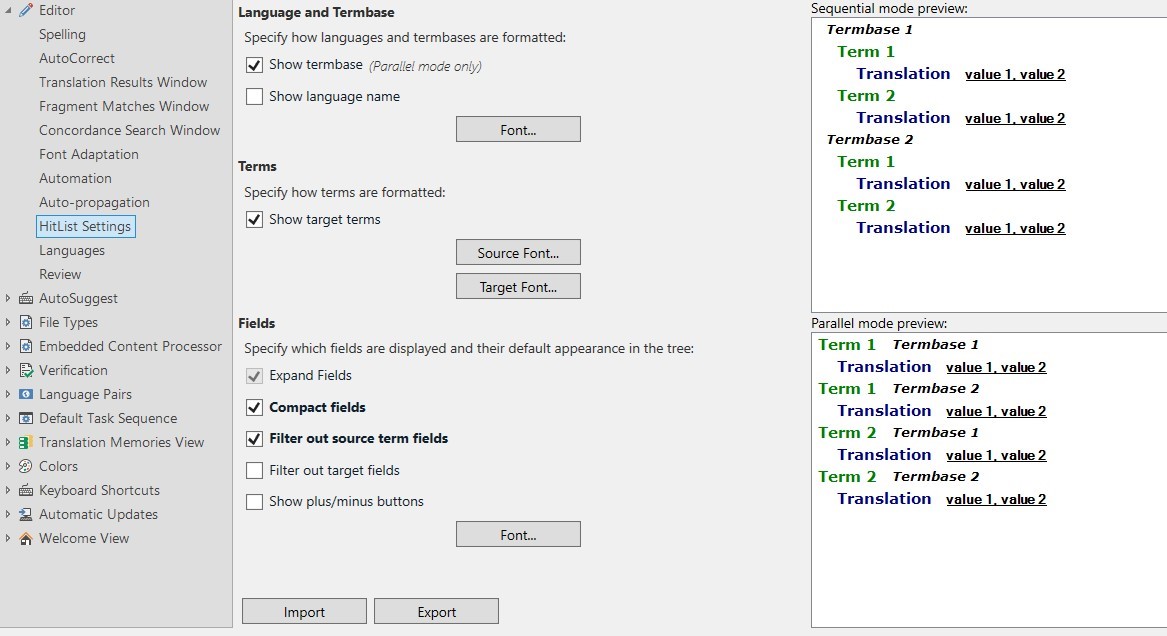
But in my Studio 2024, this Font button does not appear. This is what I have:
Can someone please tell me what's going on here?
Is this a bug in Studio 2024?
Thank you.
Removed AI Suggestion
[edited by: Jose Ignacio Cepero Briz at 4:56 PM (GMT 1) on 3 Apr 2026]