
 Translate



One of my translators uses a General Folder to put much of translations and within the en-US folder there are a number of previously translated files looking to remove from the list. Right click on the file name and nothing. Thee is the three dot kebab next to General folder but that would remove everything in that folder I believe.
This is what looking at now:
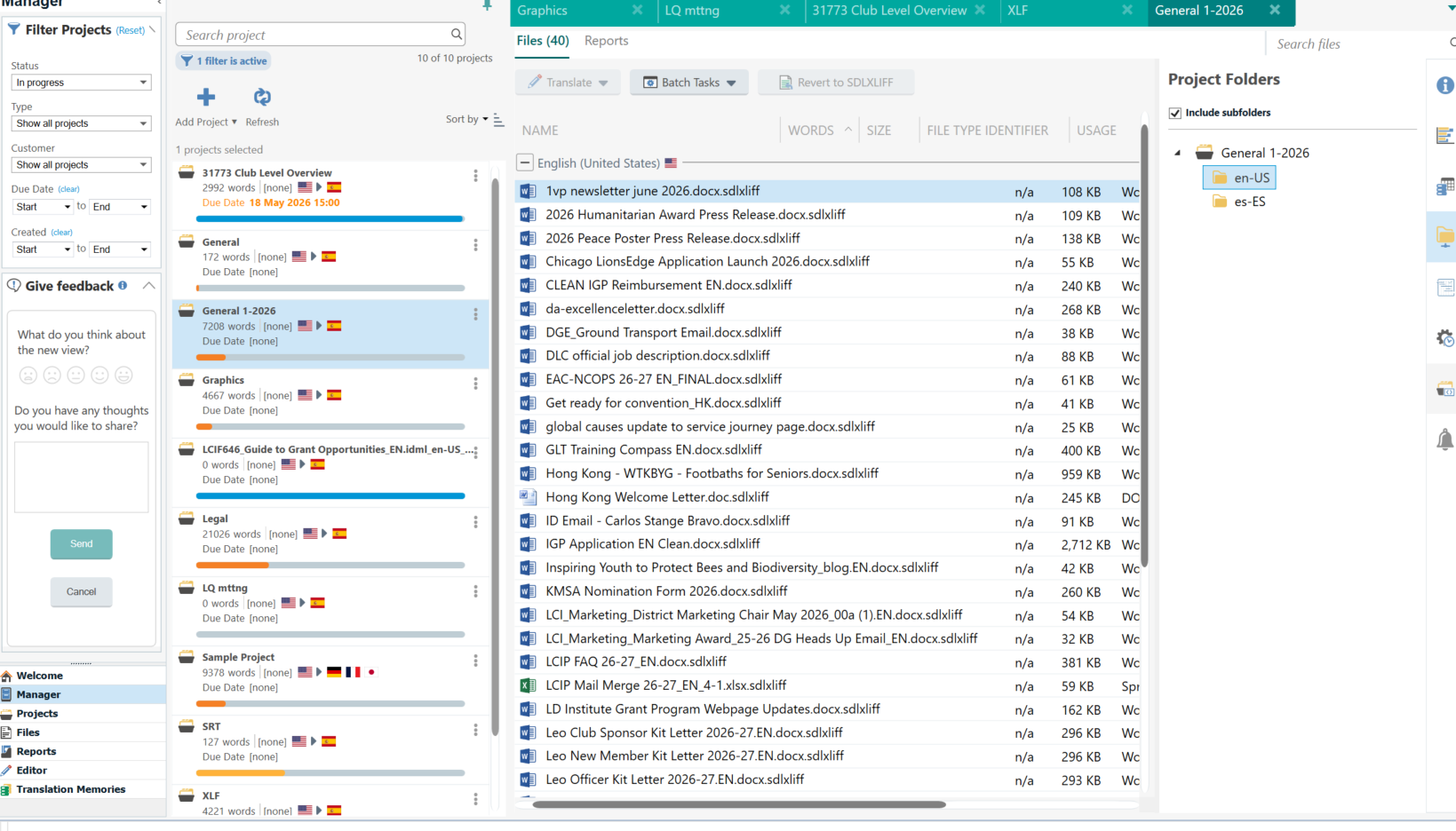
How to get rid of those older files?
Does it matter if don't? Know on Project tab that old projects take up a little memory within Trados just to have access to them if want later. Is this same case here in the Manager view?
Currently using Trados 2024 SR1 - 18.1.3.6657
Windows 11 Enterprise
Generated Image Alt-Text
[edited by: RWS Community AI at 7:09 PM (GMT 1) on 14 May 2026]
