


Trados Studio 2024 Translations Results window: markup / difference formatting not shown.

When translating, the difference(s) between a source sentence from the Translation Memory and the source sentence to be translated are shown (see red circle: 'drie' comes from the TU in the TM, 'zeven' from the new sentence to be translated), but without markup (difference formatting). How can I activate this markup?

How can I resolve this?

Thanks a lot.
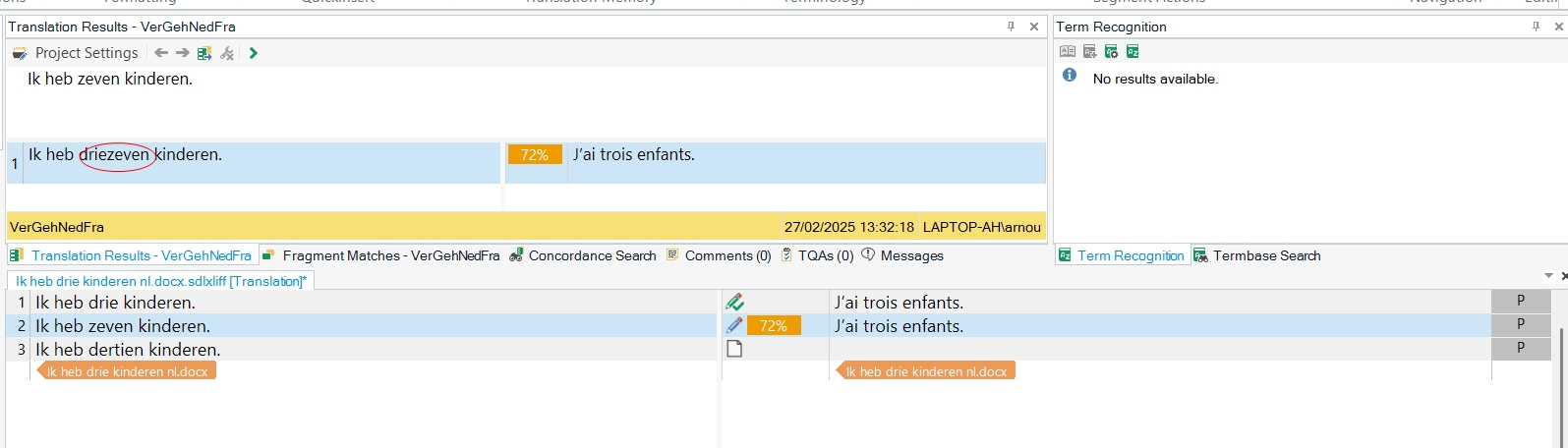
Screenshot of Trados Studio interface showing a translation segment with the source text 'Ik heb zeven kinderen.' and the corresponding translation 'J'ai trois enfants.' A red circle highlights the difference 'driezeven' in the source segment.

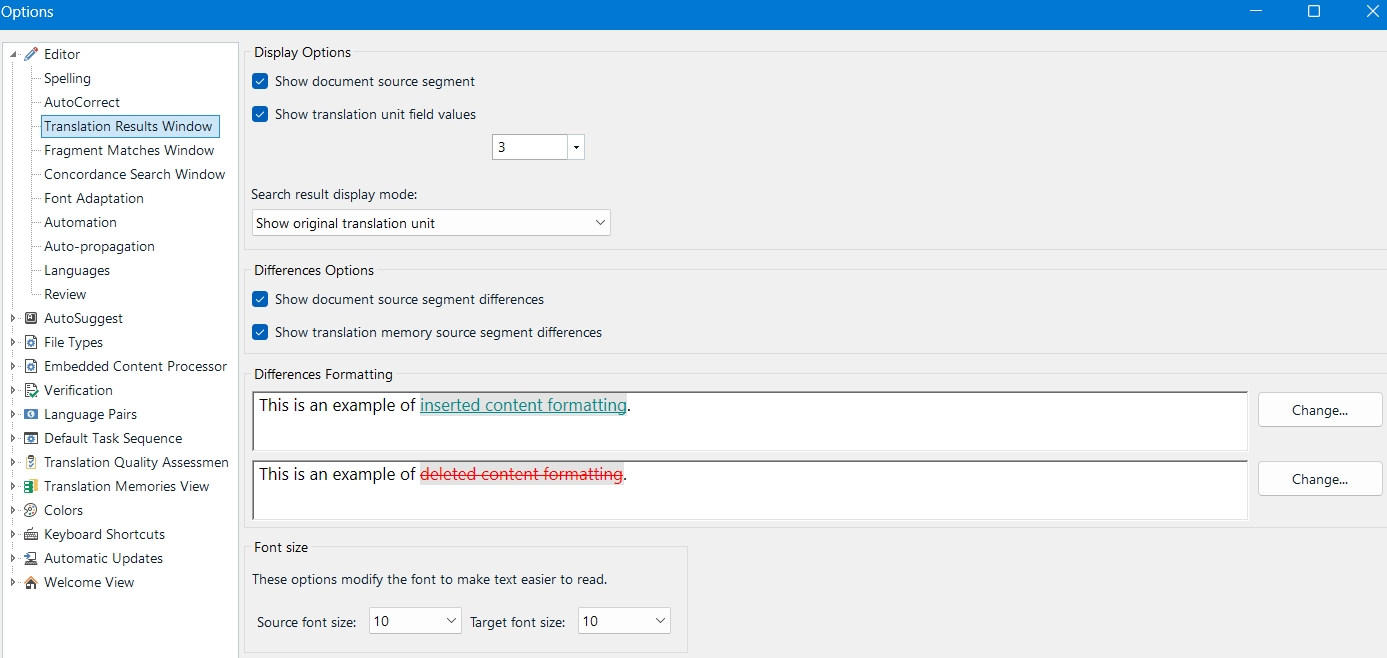
Screenshot of Trados Studio Options menu with 'Differences Options' section visible. Checkboxes for 'Show document source segment differences' and 'Show translation memory source segment differences' are checked. Examples of 'inserted' and 'deleted' content formatting are shown.


Generated Image Alt-Text
[edited by: RWS Community AI at 1:10 PM (GMT 0) on 27 Feb 2025]

emoji
Parents Reply
  •  

    Left aside the fact, that a support case has been opened for you by Paul, you as everyone else should be able to find these folders, Usually, copying the paths from here and pasting them in Windows Explorer or in Windows search field should bring you there. If not, just ask Google how to show hidden and system files and folders, and you will see them.

    But better wait for the support offered by Paul.

    _________________________________________________________

    When asking for help here, please be as accurate as possible. Please always remember to give the exact version of product used and all possible error messages received. The better you describe your problem, the better help you will get.

    Want to learn more about Trados Studio? Visit the Community Hub. Have a good idea to make Trados Studio better? Publish it here.

    emoji
Children
No Data


